Step 0: check that your ChatGPT plan can add an MCP server
ChatGPT Business, Enterprise and Edu can read and write through an MCP server in developer mode, on the web. It’s in beta, and an admin switches it on. On ChatGPT Plus, Pro, Go and Free, writing to Zyflow isn’t supported today. Checked October 2026.
| Plan | Write to Zyflow | Who switches it on |
|---|---|---|
| ChatGPT Business | Yes, in developer mode (beta, on the web) | An owner or admin. If you’re the only person on the workspace, that’s you |
| ChatGPT Enterprise | Yes, in developer mode (beta, on the web) | Your admin, who chooses who gets access |
| ChatGPT Edu | Yes, in developer mode (beta, on the web) | Your admin, who chooses who gets access |
| ChatGPT Plus, Pro, Go, Free | Not supported today | Use Claude, which works on every plan |
OpenAI’s own pages disagree on this. Its developer guide lists Plus and Pro among the plans with developer mode, while its help center limits full read and write to ChatGPT Business, Enterprise and Edu (both checked Oct 3, 2026). This table follows the help center until we’ve tested each plan ourselves.
On ChatGPT Plus or Free? Claude works on every plan, including Claude Free.
The same Zyflow link works in Claude. If you move to ChatGPT Business later, connect ChatGPT to the same workspace and your records are already there.
Step 1: copy your Zyflow link
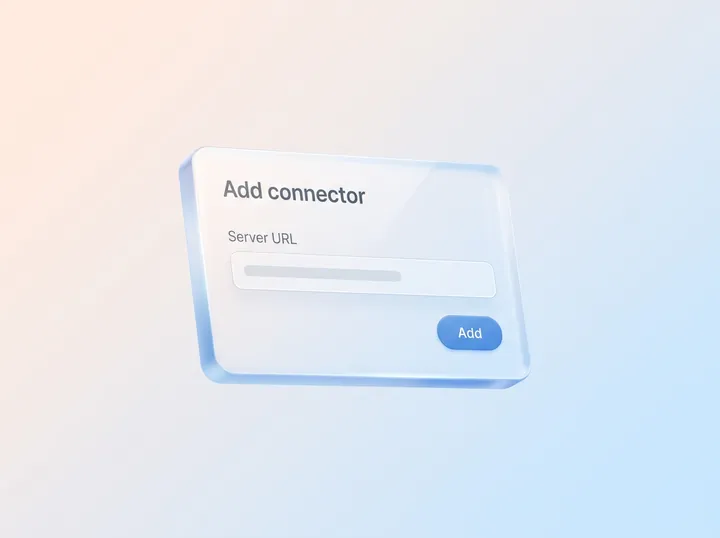
Copy your Zyflow link from the box below. It’s the server URL ChatGPT connects to.
https://app.zyflowcrm.com/mcp It’s the same link for everyone. The first time, your AI app asks you to sign in and approve one workspace.
Any MCP server for ChatGPT needs a public https URL, including its path. Zyflow’s ends in /mcp. ChatGPT can’t reach localhost, so for a server on your own computer, OpenAI offers a Secure MCP Tunnel instead.
Step 2: create a free Zyflow account or log in
Create a free Zyflow account, or log in, before you add the app: ChatGPT’s sign-in window asks you to log in to Zyflow. After sign-up, you land on Zyflow’s Connect page with ChatGPT’s steps open and the line “Waiting for ChatGPT to connect. This page updates by itself.” The line changes as soon as step 4 works.
Free plan. No card.
Already have an account? Log in from the sign-up page and you land in the same place.
Step 3: turn on ChatGPT developer mode
ChatGPT developer mode is a beta setting that lets ChatGPT use the tools of an MCP server you add yourself, including tools that change data. It isn’t the “developer mode” jailbreak prompt shared on Reddit. OpenAI labels it elevated risk because it hasn’t reviewed the servers you add.
On your own account
In ChatGPT on the web, open Settings, then Security and login, and turn on Developer mode.
Don’t see the switch? OpenAI said on October 1, 2026 that eligible accounts no longer need an explicit developer mode. Skip to step 4 and look for the + button on the Plugins page.
In a ChatGPT Business, Enterprise or Edu workspace
Only owners and admins can switch it on. On ChatGPT Business, an admin creates the app in Workspace settings, then Apps, then Create, and publishes it to the workspace. On ChatGPT Enterprise and Edu, admins choose who can use developer mode with role-based access control (RBAC).
Not the admin?
Copy this note and send it to them.
Hi, could you add Zyflow, where we keep our customer records, to our ChatGPT workspace? In Workspace settings, open Apps and select Create. Name: Zyflow. Server URL: https://app.zyflowcrm.com/mcp. Authentication: OAuth, with any client ID fields left empty. Then publish it to the workspace. Each of us signs in with our own Zyflow login, ChatGPT asks us to confirm changes, and Zyflow labels every change “ChatGPT.” Full steps: https://zyflowcrm.com/docs/connect/chatgpt
Step 4: create the app with OAuth and approve one workspace
You create a ChatGPT app from your Zyflow link, choose OAuth, then approve one Zyflow workspace in the sign-in window that opens. OpenAI’s older pages call this a custom connector; ChatGPT now calls it an app.
-
Go to ChatGPT’s Plugins page (chatgpt.com/plugins) and select the + button. ChatGPT Business admins start from Workspace settings, then Apps, then Create.
-
Name it Zyflow and add a description, such as “Our customer records: contacts, deals, follow-ups and invoices.”
-
For the connection, choose the public URL, not Tunnel, and paste your Zyflow link.
-
For authentication, choose OAuth. If ChatGPT shows client ID or secret fields, leave them empty: Zyflow lets ChatGPT register itself.
-
Check the box that says you understand the risk, then select Create.
-
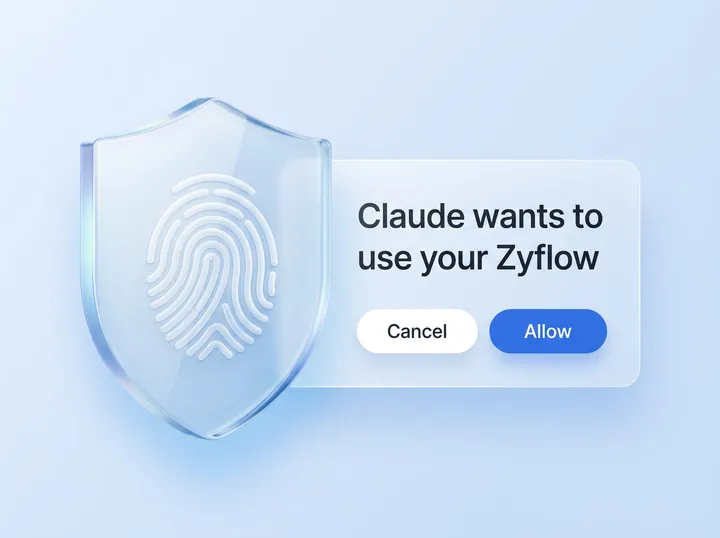
ChatGPT opens Zyflow’s sign-in. Log in, and the consent screen reads “ChatGPT wants to use your Zyflow.” Pick one workspace and select Approve. The request expires after 10 minutes; if it does, start again from ChatGPT.
-
ChatGPT lists the tools it found: 32 tools, 13 that read and 19 that write. On Zyflow’s Connect page, the line changes to “ChatGPT is connected.” and History records “Connected ChatGPT (read and write).”
On ChatGPT Business, each teammate signs in with their own Zyflow login, so their changes carry their name, such as “ChatGPT for Dana.” Each person needs to be a member of your Zyflow workspace. Zyflow Free covers one person. Solo, Team and Pro cover up to 3, 10 and 30 people.
How the tools and sign-in work: MCP server overview.
Test a write, then a read
Start a new chat, switch Zyflow on from the tools menu (the + button), and ask for one change and one lookup. Naming the app in your prompt helps ChatGPT pick it.
Add Maya Chen at Northwind (maya@northwind.example) to Zyflow as a new customer.
What happens: ChatGPT shows the save and asks you to confirm. If Maya already exists, the save lands on her record, not a copy.
Log a call with Maya at Northwind: she wants the revised quote by Friday.
What happens: one change logs the call and sets the follow-up. ChatGPT reads back the date, such as Fri, 9 Oct.
Search Zyflow for Northwind.
What happens: a lookup. You get Maya, the call and the follow-up, each linked to its record.
Use Zyflow to tell me what we know about Maya at Northwind.
What happens: her details, the call and the follow-up in one answer.
Before ChatGPT changes anything through an MCP server, it shows what it will send and asks you to confirm. You can have it remember your choice for a tool for the rest of that conversation. After the change, Zyflow labels it “ChatGPT” in History, with an Undo.1 Lookups usually run without asking, because Zyflow marks its 13 read tools as read-only.
Live labels and Undo buttons appear in any open Zyflow tab. Every change is also in History.
After that, ask “What’s on my plate today?” any morning to see your follow-ups and what’s due.
Troubleshooting
Most problems come from the ChatGPT plan, an old chat or a workspace setting. Find what you see in the first column.
| Symptom | Why | Fix |
|---|---|---|
| No Developer mode switch | Your plan doesn’t offer it, you aren’t an admin on ChatGPT Business, or your account no longer needs it (OpenAI, Oct 1, 2026) | Check step 0, then look for the + button on chatgpt.com/plugins. On Plus or Free, use Claude |
| “Disabled by admin” | Your admin hasn’t allowed or published the app | Send your admin the note in step 3 |
| No “Apps & Connectors” menu | Older guides show the 2025 menus | Follow step 3 |
| Sign-in says the request expired | Zyflow’s consent request lasts 10 minutes | Start again from ChatGPT |
| Connected to the wrong workspace | Each connection reaches one workspace | Disconnect on the Connect page, then reconnect and pick the right one |
| Zyflow is grayed out or “isn’t available” | Older chats don’t pick up new apps | Start a new chat and switch Zyflow on from the tools menu |
| ChatGPT asks to confirm every change | ChatGPT confirms writes by default | That’s expected. You can have it remember your choice for a tool for that conversation |
| Lookups work, saves fail | Writing needs ChatGPT Business, Enterprise or Edu2 | Check step 0, or use Claude |
| Not in the phone app or agent mode | Developer-mode apps are web only, and agent mode doesn’t use them | Use ChatGPT on the web, in a regular chat |
| New Zyflow tools don’t show | ChatGPT keeps the tool list from when you added the app | On chatgpt.com/plugins, open Zyflow, select Refresh and start a new chat |
| ChatGPT asks you to sign in again | Sign-in lapses after 90 days without use, or when you leave the workspace | Sign in and approve again. If you left the workspace, ask an owner or admin to add you back first |
Disconnect or switch workspaces
To cut ChatGPT off, open Zyflow’s Connect page, find ChatGPT under Connected apps and select Disconnect. Every token it holds stops working at once, and History records the disconnect. Members can disconnect their own apps; owners and admins can disconnect anyone’s.
To switch workspaces, disconnect, then connect again from ChatGPT and pick the other workspace. A disconnect can’t be undone, so you reconnect instead. Turning off developer mode, or deleting the app in ChatGPT, also cuts access from ChatGPT’s side.
Questions about ChatGPT and MCP
Can I add an MCP server to ChatGPT on the Free or Plus plan?
Not one that writes to Zyflow today. Writing through an MCP server needs ChatGPT Business, Enterprise or Edu, in developer mode (checked October 2026). On Plus or Free, connect Zyflow to Claude instead. It works on every Claude plan, and Claude Free allows one custom connector. Read the Claude setup guide.
Is it risky to turn on developer mode?
The risk sits with the servers you add, because OpenAI hasn’t reviewed them, so add only servers you trust. With Zyflow, ChatGPT reaches the one workspace you approved, with your role, and never your password, billing, members or API keys. Zyflow gets only what ChatGPT sends to look something up or save it, not the rest of your chat. ChatGPT asks you to confirm writes, and Zyflow labels every change “ChatGPT,” with an Undo.1 Read the security page.
Zyflow has built-in defenses against prompt injection: hidden characters are stripped, and file text reaches your AI labeled as customer data, not instructions. These are mitigations, not guarantees.
How do I turn developer mode off?
Turn the same switch off in ChatGPT’s settings, under Security and login. To cut access from Zyflow’s side, disconnect ChatGPT on the Connect page.
Does it work on the ChatGPT phone app?
Not today. OpenAI says developer-mode apps work on the web only, and agent mode doesn’t use them. On your phone, open Zyflow’s web app in your browser instead.
Can I connect ChatGPT read-only?
Not from Zyflow’s consent screen, which grants read and write. ChatGPT asks you to confirm each write before it runs, so nothing changes without your OK. Read the MCP reference to see which tools write.
Does connecting ChatGPT cost extra?
No. ChatGPT’s calls to Zyflow are never billed, on any plan, and there are no AI credits.3 Your ChatGPT plan and its own limits still apply.
One workspace per connection
You sign in and approve, like “Sign in with Google”. Your AI app never gets your password, and it can’t touch billing, members or keys.
Every AI change labeled
Export any time