Who Zyflow is for
A CRM for owner-run businesses that already work in AI
It’s built for one kind of business: you sell your expertise, do the client work yourself and talk to an AI app all day.
Zyflow is a lightweight small-business CRM your AI app keeps up to date (Claude, Cursor, ChatGPT Business, any MCP app). Every AI change is labeled. Zyflow works with any AI app that supports MCP, the standard way AI apps connect to tools.
Free plan. No card.

Who is Zyflow for?
Zyflow is for owner-run businesses that sell their expertise: consultants, fractional executives, freelance professionals, solopreneurs and small studios. You already work in Claude, ChatGPT2 or Cursor every day. After a client call, tell your AI what happened. Zyflow files it on the right customer and each morning shows you who’s waiting and who owes you.
You’re likely a fit if
- Your client notes live in chat threads, your head and a spreadsheet you mean to update every Friday.
- The first thing you open in the morning is your AI app, and you already ask it what’s pending today.
- You quote, invoice and chase payments yourself.
Among US small businesses that use AI, 31% use it to manage customer relationships (US Chamber of Commerce, October 2026).
Find the page for your kind of business
Freelancer, consultant or solopreneur? The product and plans are the same either way. Each page has its own examples and advice, so pick the one that sounds like your week.
-

Freelancers
Client projects, quotes and follow-ups.
Freelance designers, writers, developers and marketers who quote and invoice their own clients.
Read this if you juggle several client projects and chase invoices in between.
Turn the Halden quote into an invoice.
-
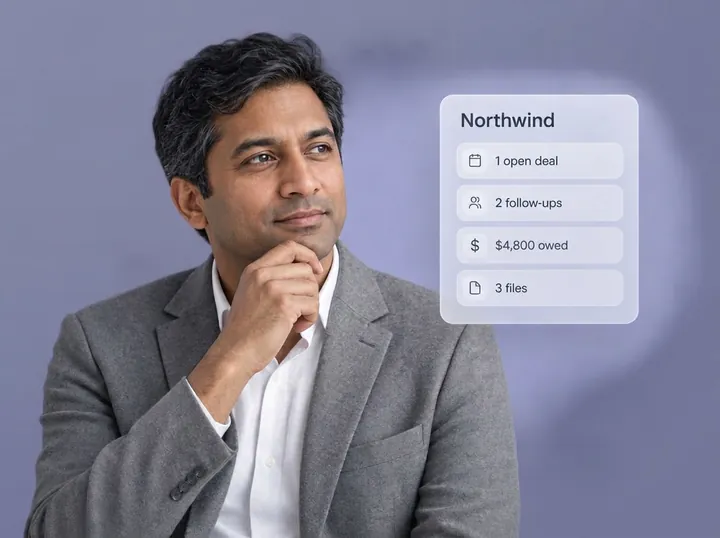
Consultants and fractional executives
Know the client before every call.
Independent consultants and fractional executives often lose 20 minutes after every call updating three tools. With Zyflow, you tell your AI once and the call is filed on the right client.
Read this if your work runs on calls and meetings, or you sit inside several client businesses at once.
What do we know about Northwind?
-
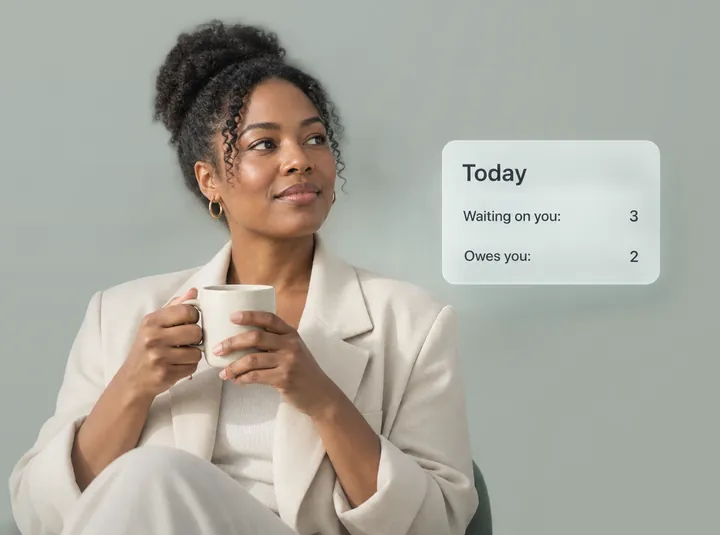
Solopreneurs and sole traders
One person, one AI, one record.
Solopreneurs, sole traders, sole proprietors and the self-employed. You’re the salesperson, the delivery team and the accounts department.
Read this if you run the whole business yourself. Free covers one person, with no time limit.
What’s on my plate today?
Which plan fits your team?
Free for one person. Solo covers up to 3 people for $12 a month ($10 billed yearly), Team up to 10 for $30 ($25 billed yearly) and Pro up to 30 for $90 ($75 billed yearly). One price for the whole team, and your AI’s calls are never billed. Prices in US$. Every feature we offer today is on every plan.
| If this is you | Plan | People |
|---|---|---|
| Just you | Free | 1 |
| You plus an assistant, partner or bookkeeper | Solo | Up to 3 |
| 4–10 people working with clients | Team (Best for 4–10 people) | Up to 10 |
| 11–30 people | Pro | Up to 30 |
People means everyone who can sign in, including pending invitations. AI apps and API keys never count.
If you’re 2 or 3 people, some CRMs are free: HubSpot Free covers 2 users, and Attio Free and Zoho CRM Free cover 3 each (checked Oct 2, 2026). They’re a fair choice if free seats are all you need. Compare what a team pays elsewhere.
Free plan. No card.
Not a fit if...
It’s also not for you if you don’t use an AI app and don’t plan to.
Zyflow doesn’t read your inbox, calendar, calls or WhatsApp. Tell your AI, or paste the thread, and your AI files it after showing you what it found.
Zyflow isn’t a fit yet if you need:
- email or calendar sync, sequences, campaigns, dialers or forecasting
- dispatch, booking or texting for trades and field service
- a home for regulated data, such as patient records
- property listings and showings for real-estate work
- a WhatsApp inbox
- card payment collection or e-signature
- SSO, two-factor sign-in or per-person permissions
- certifications such as SOC 2, or EU data residency
- a native mobile app, or a language other than English
- more than 30 people
Questions about fit
Do I need an AI app to use Zyflow?
To get the most out of it, yes. Zyflow runs no AI of its own, so the AI app you already use does the talking. Claude works on every Claude plan. Writing from ChatGPT needs a Business, Enterprise or Edu plan in developer mode.2 Claude Code, Cursor, VS Code, Gemini CLI, Windsurf and any MCP app work too. There’s also a full web app on the same data.
Do I still need a CRM if I use ChatGPT or Claude?
If you want a record that lasts, yes. Chat memory stays in one app or project. Follow-ups sink into scroll-back with nothing to remind you the next day, and there’s no change history to undo. Zyflow keeps the facts, follow-ups and money owed that you or your AI save, where every AI app you connect can read them. It labels each change with the app that made it, and you can undo recent ones.1
Can an assistant, partner or small team use it with me?
Yes, on a paid plan. Solo covers up to 3 people and Team up to 10, each at one price for the whole team. History shows who changed what, through which app. Every member, and every member’s AI, can see and edit every customer. There are no per-person permissions yet.
I run more than one business. One account or several?
One login is enough. It can own up to 10 workspaces, one per business, and each has its own plan and AI connections. That lets a fractional executive, or anyone running two businesses, keep each one’s customers apart.
- 1 Undo works within your plan’s history window: 30 days on Free, up to 3 years on paid plans. Deleted items can be restored for 30 days on every plan. Settings changes, such as pipelines, custom fields and tag renames, are logged but can’t be undone.
- 2 Writing to Zyflow from ChatGPT needs developer mode on a ChatGPT Business, Enterprise or Edu plan. It’s in beta, on the web, and an admin switches it on. Claude works on every plan. Checked October 2026.
- 3 Export gives you six CSV files, or one JSON file with your records, documents, change history (up to 100,000 changes) and links to every file. File contents download separately from Files.
Last updated Oct 3, 2026
Your AI talks. Zyflow remembers.
Tell your AI what happened. Zyflow keeps the record.
If your AI gets something wrong, undo it.1 If Zyflow isn’t for you, export your records, documents and history.3
Free plan. No card. Connect your AI in about two minutes.