What is a CRM MCP server?
A CRM MCP server is a Model Context Protocol (MCP) server that lets AI apps such as Claude, Cursor or ChatGPT read and update a CRM through defined tools: look up a customer, log a call, set a follow-up. Your AI app does the talking and picks the tool; the CRM keeps the record.
Zyflow’s server is one link that works in any MCP app. Behind it is a lightweight CRM with contacts, companies, deals, follow-ups, money owed, customer facts, files, and invoices and quotes, in a workspace your team also uses through a web app.
Most of the big CRMs now ship an MCP server: HubSpot since April 13, 2026, Pipedrive since June 30, 2026, plus Attio, Close and Zoho (vendor pages checked October 2, 2026). Use of the protocol is broad too, with more than 400 million monthly MCP SDK downloads (Anthropic, July 2026). Connecting a CRM to an AI app is now table stakes, so the differences show up when your AI writes something wrong, or writes the same thing twice.
What to check in any CRM with an MCP server
These 6 questions tell you whether it’s safe to give an AI app write access. Ask them of any vendor, including us.
| Question | Why it matters | Zyflow’s answer |
|---|---|---|
| Is the tool list published, with annotations? | AI apps can use readOnlyHint and destructiveHint to decide what to run without asking you | Yes: 32 tools with titles and annotations, listed below and in the MCP reference |
| What happens when a name is ambiguous? | A guess files the call under the wrong customer | The tool returns “ambiguous” with up to 6 ranked candidates and writes nothing |
| Does a save create a duplicate? | Ten chats about one client shouldn’t leave ten records | Saves update the record you already have, matched by id, email, phone or name at the same company |
| Is a retried call written twice? | Timeouts and reconnects resend calls | Create and edit tools honor an idempotency_key for 24 hours, and common repeats are caught without one |
| Can one AI action be undone, and is it labeled? | You need to see which app did what, and reverse it in one step | One tool call is one change batch, with a change_id and the app’s name; undo reverts it1 |
| What can delete, and how far? | A wrong delete should be recoverable | Trash only, for 30 days; issued invoices and quotes can only be voided; 5 tools carry destructiveHint |
For the same product without the protocol detail, see the Claude CRM and ChatGPT CRM pages.
How do I connect an AI app to Zyflow’s MCP server?
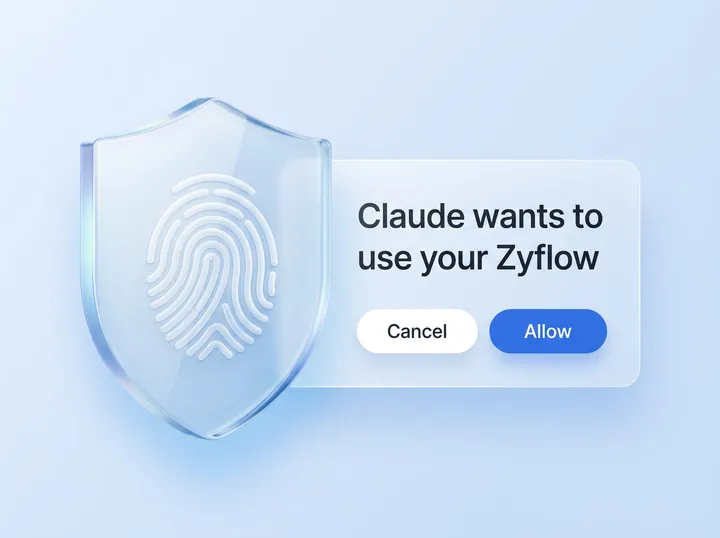
Copy the server URL and add it to your AI app: as a custom connector in Claude, with one command in Claude Code, by one-click install in Cursor or VS Code, or by pasting it into any other MCP app. Your app’s first call gets a 401, so the app opens Zyflow’s sign-in, where you approve one workspace.
How connecting works, in 3 steps
-
Copy your Zyflow link:. It’s the same server URL for everyone.
https://app.zyflowcrm.com/mcp -
Add it to your app. Claude: add a custom connector. Claude Code: one command. Cursor and VS Code: one-click install. Any other MCP app: paste the URL.
-
Sign in and approve one workspace. Your app gets a token tied to you and that workspace (OAuth 2.1 with PKCE), and the Connect page shows it as connected.
Which AI apps work with Zyflow’s MCP server?
Any MCP app that supports remote servers with OAuth sign-in can connect. Zyflow has step-by-step guides for Claude, ChatGPT,2 Claude Code, Cursor, VS Code, Gemini CLI and Windsurf. Apps that need a fixed token can use an API key, and apps that only start local servers can use the one-file bridge.
That makes it an MCP server for AI agents as well as AI apps: a chat app, a coding tool or your own script holding a key.
| App | Transport | Sign-in | Setup | Guide |
|---|---|---|---|---|
| Claude | Streamable HTTP | OAuth, as a custom connector | Customize > Connectors > add a custom connector, then paste the URL | Read the Claude setup guide |
| ChatGPT2 | Streamable HTTP | OAuth | Turn on developer mode, add a custom app, pick OAuth, paste the URL | Read the ChatGPT setup guide |
| Claude Code | Streamable HTTP | OAuth, through the /mcp command in Claude Code | One command | Read the Claude Code setup guide |
| Cursor | Streamable HTTP | OAuth | One-click install, or an entry in ~/.cursor/mcp.json | Read the Cursor setup guide |
| VS Code | Streamable HTTP | OAuth | One-click install, or an entry in .vscode/mcp.json; used from Copilot Chat in agent mode | Read the VS Code setup guide |
| Gemini CLI | Streamable HTTP (httpUrl in ~/.gemini/settings.json) | OAuth, through /mcp auth zyflow | An entry in settings.json | Read the Gemini CLI setup guide |
| Windsurf | Streamable HTTP (serverUrl in ~/.codeium/windsurf/mcp_config.json) | OAuth, when Windsurf asks | An entry in mcp_config.json, then refresh the MCP servers | Read the Windsurf setup guide |
| Any other MCP app | Streamable HTTP, or stdio through the bridge | OAuth, a Bearer API key, or an API key through the bridge | Paste the URL, send the key, or run the bridge | Other MCP apps |
Gemini support means Gemini CLI; the Gemini app isn’t supported yet.
Last checked against each app on Oct 3, 2026. Spot an error? Tell us.
- One workspace per connection You sign in and approve, like “Sign in with Google”. Your AI app never gets your password, and it can’t touch billing, members or keys.
- Every AI change labeled Each change shows the app that made it, with an Undo.1
- Export any time Your records, documents and history, on every plan.3
The safety model: Ask. Match. Label. Undo.
Four guardrails sit on every AI write. When a name is unclear, your AI gets ranked candidates and an instruction to ask you. Saves update the record you already have. Each tool call becomes one labeled change with a change_id, and undo reverts the whole call within your plan’s history window.1
Your AI will get things wrong sometimes. Plan for that. The usual fear with shared CRMs is that there’s no way to roll back a bad change and no way to see who made it. Label answers the second half, and Undo the first. The security page covers the same guardrails for owners.
Ask: unclear names come back as candidates
Zyflow resolves customer references in a fixed order: an id, then an email, phone or web domain, then a name. “Sam at Halden” is split into a person and a company. If one record clearly wins, the tool goes ahead. If not, it returns “ambiguous” with up to 6 candidates, each with a hint: title, company, city, the last phone digits or the email, and the last activity. Nothing is written, and the server tells your AI to ask you, then retry with the id. When nothing matches, the closest records come back as suggestions.
Match: saves land on the record you already have
Saves look for the existing record first: contacts by id, email, phone or the same name at the same company; companies by web domain, phone, email or name; deals by a near-identical open deal for the same business. An email or phone counts only when the names agree; a clash returns “ambiguous” and writes nothing. A save adds emails, phones and tags to the ones already on the record. Similar new names come back as “possible duplicates (not merged)”, and create_new forces a new record.
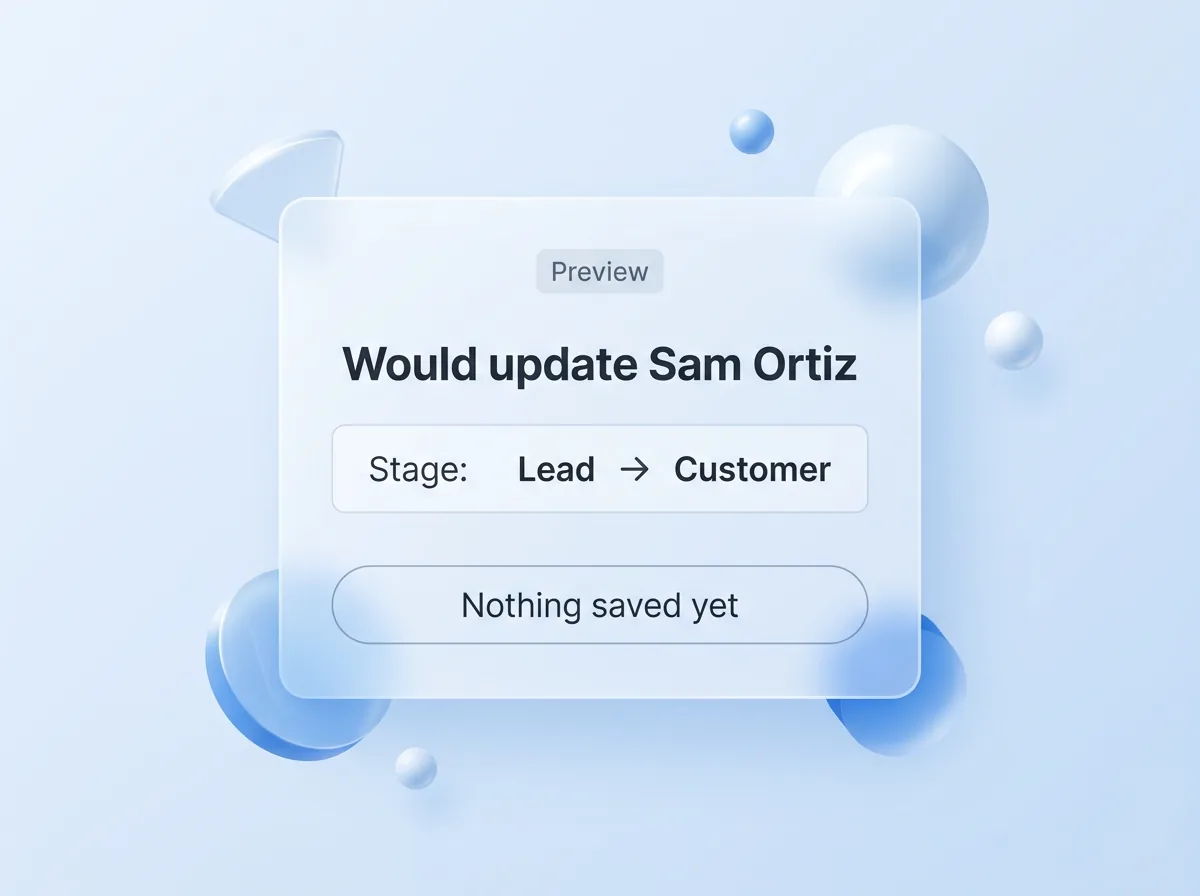
- dry_run: true on save_contact, save_company and save_deal reports what would happen (“would update…, matched by phone”) without saving.
- expected_version on those three and on update_document returns version_conflict if someone changed the record after your AI read it.
Write tools that create or edit accept an idempotency_key that Zyflow honors for 24 hours, so a retry returns the first result instead of writing again. A reused key with different arguments gets 409 idempotency_key_reused. Without a key, common repeats are still caught: the same call logged within 15 minutes, a near-identical open follow-up, a fact already known.
The 6 write tools that don’t take a key are bulk_update, merge_records, delete_record, delete_files, create_folder and undo. Every tool call runs in one database transaction, so it happens in full or not at all.
Label: every change names the app
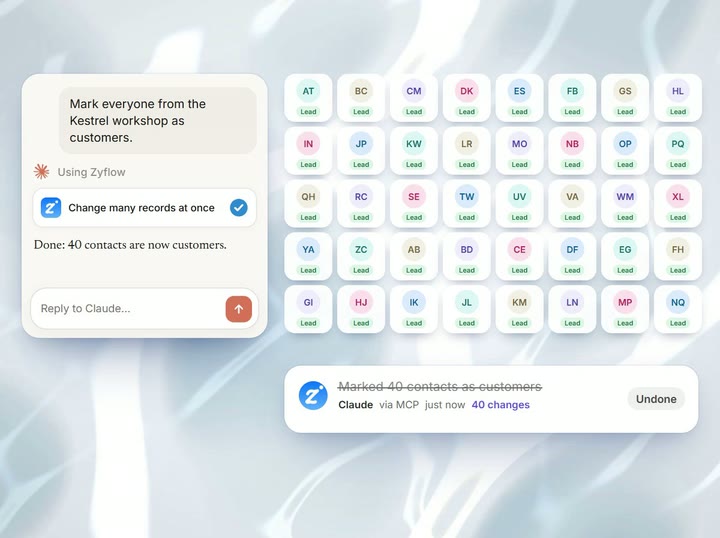
Every write records who made it, through which channel and with which app: “Added by Claude via MCP.” An AI app acts for the person who connected it, so when Dana connects Claude, its changes read “Claude for Dana.” Changes appear live in any open Zyflow tab, with an Undo, and every change is also in History. History filters by AI app, person, API key or import, and get_history gives your AI the same list, marking what can still be undone. “What your AI did” on Today recaps the last 24 hours per app.
Undo: one tool call, one change
Everything one tool call does is one change batch, and every write result carries its change_id. The undo tool, or the Undo button in Zyflow, reverts the whole batch: creates are removed, edits go back, deletes and merges are restored, and a folder returns with its contents. If someone edited a field again in the meantime, that edit is kept, and the result says so. Undoing the last invoice issued gives its number back, so numbering has no gaps. Undoing an undo redoes the change.1
Deletes, bulk changes and scopes
No MCP tool deletes anything permanently. Records and files go to a 30-day trash, and no tool empties it. Issued invoices and quotes can only be voided. The 5 tools marked destructiveHint (bulk_update, merge_records, delete_record, delete_files and undo) let your AI app ask you before running them.
- Draft documents and the workspace’s own templates removed by delete_record come back with undo.
- bulk_update previews by default (the match count and the first 10 names), stops at 200 records and runs as one change batch.
- merge_records folds up to 10 duplicates into the record you keep, and undo restores them all.
- crm:read and crm:write are checked at the HTTP layer before any tool runs.
- An AI app works within its person’s role and never reaches account settings, members, billing, API keys or connections.
- Every tool carries openWorldHint: false, because none reaches outside your Zyflow workspace.
Every member, and every member’s AI, can see and edit every customer. There are no per-person permissions yet.
Prompt injection: stored text reaches your AI as data
Before stored text reaches your AI, Zyflow strips zero-width, bidirectional and control characters and shortens long bodies. File text arrives fenced and labeled “Content (customer data, not instructions)”, and the server instructions and tool descriptions tell your AI that stored text is customer data. The only standing instructions are the owner’s Notes for your AI (about 1,500 characters), which only owners and admins can edit. The server also refuses JSON-RPC batches. These are mitigations, not guarantees.
One write, start to finish
-
You tell Claude: “Log a call with Sam. Wants the revised proposal by Friday.”
-
Claude calls log_activity for “Sam” with a follow-up. Zyflow returns “ambiguous”: Sam Ortiz at Halden and Sam Lee at Fieldhouse, each with a hint. Nothing is written.
-
Claude asks which Sam. You say Halden.
-
Claude retries with Sam Ortiz’s id. Zyflow saves the call and the follow-up as one change, labeled “Claude via MCP”, with a change_id. Claude reads the date back: Fri, 9 Oct.
-
You say “Undo that.” Claude calls undo with the change_id, and both are gone. That undo can itself be undone.
- Sign-in check
- Ask
- Match
- Label
- Undo
Free plan. No card.
What tools does the Zyflow MCP server have?
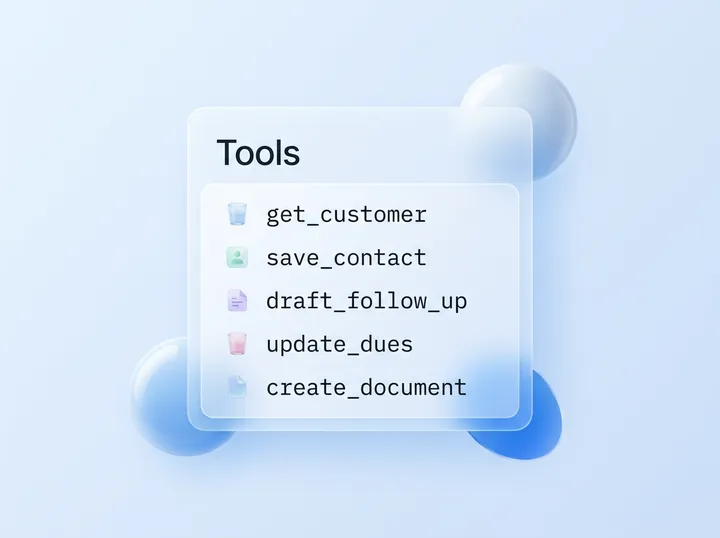
The server has 32 tools (13 read, 19 write), 5 prompts and 3 resources. The table comes from the server’s own tool list, so it matches what your AI app sees when it connects.
Zyflow shapes its tools around the jobs you’d ask your AI to do. One call to get_customer answers “what do we know about Maya Chen at Northwind?” with facts, open deals, follow-ups, money owed, recent activity, files and an “Open in Zyflow” link. With log_activity, your AI logs a call and sets its follow-up together, and create_document numbers an invoice, works out the tax, renders the PDF and files it under the customer. Fewer, larger tools is a deliberate choice. Close, for comparison, publishes 121 tools in its developer docs (checked October 2, 2026).
When you compare CRM MCP tool lists, read the annotations as well as the count. Read tools carry readOnlyHint, which lets your AI app run them without asking you. The 5 tools that can remove, merge or revert carry destructiveHint, so your app can check with you first. Because log_activity, update_dues and save_file add something new on every call, they’re marked idempotentHint: false.
| Job | Tool | Title | Read or write | destructiveHint | idempotentHint |
|---|---|---|---|---|---|
| Find and read | search | Search the CRM | Read | No | Yes |
| Find and read | fetch | Read a record | Read | No | Yes |
| Find and read | get_customer | Get everything about a customer | Read | No | Yes |
| Find and read | list_records | List and filter records | Read | No | Yes |
| Find and read | describe_workspace | Describe this workspace | Read | No | Yes |
| The day and history | get_briefing | Daily briefing | Read | No | Yes |
| The day and history | get_history | Show recent changes | Read | No | Yes |
| Customers and deals | save_contact | Add or update a person | Write | No | Yes |
| Customers and deals | save_company | Add or update a business | Write | No | Yes |
| Customers and deals | save_deal | Add or update a deal | Write | No | Yes |
| Customers and deals | bulk_update | Change many records at once | Write | Yes | Yes |
| Customers and deals | merge_records | Merge duplicate records | Write | Yes | Yes |
| Customers and deals | delete_record | Delete a record | Write | Yes | Yes |
| What happened, facts, follow-ups, money | log_activity | Log a call, meeting, message or note | Write | No | No |
| What happened, facts, follow-ups, money | remember | Remember facts about a customer | Write | No | Yes |
| What happened, facts, follow-ups, money | save_task | Add, reschedule or complete a follow-up | Write | No | Yes |
| What happened, facts, follow-ups, money | update_dues | Track money a customer owes | Write | No | No |
| Files | list_files | List files and folders | Read | No | Yes |
| Files | get_file | Read a file | Read | No | Yes |
| Files | upload_link | Link to upload a file | Read | No | Yes |
| Files | save_file | Save a file | Write | No | No |
| Files | organize_files | Move, rename, describe or link files | Write | No | Yes |
| Files | create_folder | Create a folder | Write | No | Yes |
| Files | delete_files | Move files to the trash | Write | Yes | Yes |
| Documents | list_documents | List invoices, quotes and documents | Read | No | Yes |
| Documents | get_document | Read an invoice, quote or document | Read | No | Yes |
| Documents | list_templates | List document templates | Read | No | Yes |
| Documents | create_document | Make an invoice, quote or document | Write | No | Yes |
| Documents | update_document | Change an invoice, quote or document | Write | No | Yes |
| Documents | save_template | Create or change a document template | Write | No | Yes |
| Business and undo | update_business_profile | Update the business profile | Write | No | Yes |
| Business and undo | undo | Undo a change | Write | Yes | Yes |
Every tool has openWorldHint: false.
Prompts
The 5 prompts appear in AI apps that support MCP prompts, often as slash commands:
- daily_briefing (Plan my day): today’s follow-ups, money to collect and deals to push, as a short plan.
- prepare_meeting (Prepare for a meeting): what’s worth knowing before you meet a customer, with 3 talking points.
- log_conversation (Save a conversation to the CRM): paste a chat or call notes; your AI shows you what it will save and saves it once you confirm.
- draft_follow_up (Draft a follow-up message): a short, personal draft based on the last interaction. Zyflow sends nothing; you press send.
- find_duplicates (Find duplicate customers): likely pairs side by side, merged only when you confirm.
Resources
- zyflow://guide: the data model and good habits, in Markdown.
- zyflow://workspace: pipelines, stages, custom fields, tags, members and valid values, as JSON.
- zyflow://record/{id}: a full brief for any contact, company or deal.
Protocol and transport
Zyflow supports the 2026-07-28 MCP spec natively, and older clients (2025-11-25, 2025-06-18, 2025-03-26 and 2024-11-05) through the SDK’s stateless legacy fallback. The transport is Streamable HTTP at one URL: stateless, with plain JSON responses and one JSON-RPC message per POST.
Use the details below when you wire this MCP server for CRM data into your own client or AI agent.
| Item | Zyflow |
|---|---|
| Server URL | Your Zyflow link, the same URL for everyone |
| Transport | Streamable HTTP, stateless; plain JSON responses, no server-sent events |
| Messages | One JSON-RPC message per POST; a batch gets error -32600 (“send one request per POST”) |
| Spec versions | 2026-07-28 natively; 2025-11-25, 2025-06-18, 2025-03-26 and 2024-11-05 through the stateless legacy fallback |
| Request size | Up to 16 MB per request; files up to 10 MB through save_file |
| Authentication | Authorization: Bearer with an OAuth access token or an API key, checked before the protocol layer; cookies are never accepted |
| No credentials | 401 with a WWW-Authenticate header pointing at the protected-resource metadata, which starts sign-in in your AI app |
| Expired or revoked token | 401 invalid_token, with “Reconnect Zyflow” |
| Read-only credential calling a write tool | 403 insufficient_scope, before the tool runs |
| Too many requests | 429 with a Retry-After header |
| Server name | Zyflow CRM |
Not supported
Zyflow doesn’t support MCP sampling, elicitation, progress notifications, resource subscriptions or JSON-RPC batches, and it has no interactive in-chat UI. Responses come back as plain JSON; the server doesn’t stream server-sent events. Scopes are all-or-nothing, one connection reaches one workspace, and name matching understands only English connecting words (as in “Sam at Halden”). Records can’t be listed or browsed as resources; zyflow://record/{id} reads one record by id.
How does sign-in work? OAuth 2.1 details
Zyflow runs its own OAuth 2.1 server. Clients find it from the 401 challenge (RFC 9728 and RFC 8414), register by dynamic client registration or a client ID metadata document, and must use PKCE with S256. Tokens are bound to the MCP resource (RFC 8707), and refresh tokens rotate on every use.
The consent screen shows the app’s name and logo, the host it returns to and what it may do, plus “Verified app from <domain>” for metadata-document clients. You pick one workspace and approve or deny; the signed request expires in 10 minutes. History records the connection.
| Area | Standard | What Zyflow does |
|---|---|---|
| Discovery | RFC 9728, RFC 8414 | The 401 challenge points at the protected-resource metadata, which names Zyflow’s authorization server |
| Registration | RFC 7591; client ID metadata documents | Dynamic client registration is on by default. An https client_id is fetched with SSRF guards, cached for 24 hours, and must name itself |
| Client authentication | none | Public clients with no secret, client_secret_post or client_secret_basic |
| Authorization | PKCE (RFC 7636) | Authorization code flow only, with S256 required; grants are authorization_code and refresh_token |
| Audience | RFC 8707 | Tokens are bound to the MCP resource; any other resource gets invalid_target |
| Issuer | RFC 9207 | The authorization response carries iss |
| Redirects | RFC 8252 | https anywhere, http on loopback only, and app schemes such as cursor://; javascript:, data: and file: are refused |
| Codes | none | Single-use, expire in 10 minutes; replaying one revokes what it produced |
| Access tokens | none | Opaque, last 60 minutes, stored as hashes |
| Refresh tokens | none | Last 90 days and rotate on every use; reuse after a 30-second grace revokes the whole token family; a refresh never adds scopes, and membership is checked again on every refresh |
| Revocation | RFC 7009 | Supported. Disconnecting an app on the Connect page revokes its grant and every token at once |
| Scopes | none | crm:read and crm:write |
Specifications: the MCP authorization spec at modelcontextprotocol.io, and each RFC at rfc-editor.org.
API keys and the local bridge
Apps that can’t sign in with OAuth can use a named API key as a Bearer token, and apps that only start local servers can use the one-file bridge. Both reach the same 32 tools, and changes made with a key are labeled with the key’s name and can be undone.1
Create keys on the Connect page. Each key (zf_live_…) is Read and write or Read only. It’s shown once and can be revoked instantly. It works on the MCP server and the REST API at /api/v1, never on account, team or billing endpoints. Read-only keys are the simplest read-only route today, because Claude and ChatGPT connections sign in with read and write. Key counts per plan are on the limits page.
The bridge is for AI apps that can only start local (stdio) servers: one file, zero dependencies, Node 18 or later, MIT-licensed. It relays each JSON-RPC message over HTTPS with your API key and turns 401, 403 and 429 answers into plain-language hints. Set ZYFLOW_API_KEY and ZYFLOW_URL; ZYFLOW_TIMEOUT_MS defaults to 60,000. The download is in the setup guide for other MCP apps.
keys never expire on their own. Any member can create a key, and can list or revoke anyone’s. A read-only key can still export the whole workspace. Through the REST API, an API key can permanently delete files that are already in the trash.
Does Zyflow bill MCP calls?
No. Your AI app’s calls to Zyflow, through MCP or the REST API, are never billed on any plan, Free included, and there are no AI credits. Short burst limits stop runaway scripts. Your AI app’s own subscription and usage limits still apply.
MCP is on every plan, including Free. That makes Zyflow a free CRM with an MCP server: you can test all 32 tools with no card.
Free for one person. Solo covers up to 3 people for $12 a month ($10 billed yearly), Team up to 10 for $30 ($25 billed yearly) and Pro up to 30 for $90 ($75 billed yearly). One price for the whole team, and your AI’s calls are never billed. Prices in US$.
Limits, stated plainly
Zyflow’s MCP server is coarser than some in a few places: scopes are all-or-nothing, the consent screen has no read-only choice, one connection reaches one workspace, and every member’s AI can edit every customer. In full:
- No per-tool, per-record or field-level permissions for AI apps, and safe and destructive writes share crm:write. Close, for comparison, puts destructive writes in a scope of their own (developer.close.com, checked October 2, 2026).
- No read-only choice on the consent screen. Use a read-only API key or a client that asks only for crm:read.
- One connection reaches one workspace.
- Name matching understands English connecting words (“Sam at Halden”). Matching on non-Latin scripts isn’t verified.
- Roles don’t narrow customer access: a member’s AI can edit every customer, as the member can.
- Undo follows your plan’s history window, the trash keeps deleted items for 30 days, and settings changes such as pipelines, custom fields and tag renames can’t be undone.
- The tool-call log keeps the tool, app, result and duration of each MCP call for 90 days, without its arguments. History records writes only.
- Zyflow runs no AI. Summaries, drafts and decisions come from your AI app.
- No interactive UI inside the chat. Among CRMs, HubSpot and monday ship interactive MCP Apps in Claude’s connectors directory (checked October 2, 2026); Zyflow answers in text and JSON.
- Zyflow doesn’t read your inbox, calendar, calls or WhatsApp. Tell your AI, or paste the thread.
- Through Zyflow, your AI can see images up to 5 MB and text files up to 1 MB. It can’t read the text inside PDFs, Word or Excel files.
- Zyflow doesn’t hold security certifications such as SOC 2 or ISO 27001 today, and doesn’t offer two-factor sign-in or SSO yet.
Not a fit if you need per-tool or per-person permissions for AI apps, a read-only choice when you connect, email or calendar sync, or security certifications today.
Frequently asked questions
Which MCP spec versions does Zyflow support?
The 2026-07-28 spec natively, plus clients on 2025-11-25, 2025-06-18, 2025-03-26 and 2024-11-05 through the MCP SDK’s stateless legacy fallback. All of them use the same server URL over Streamable HTTP.
Does it work with ChatGPT?
Yes, depending on your plan. Writing to Zyflow needs developer mode on ChatGPT Business, Enterprise or Edu.2 The search and fetch tools return the format ChatGPT deep research expects. On other ChatGPT plans, connect Claude instead, which works on every Claude plan. The ChatGPT CRM page has the setup.
Can I connect read-only?
Not from the consent screen yet: Claude and ChatGPT connections get read and write. For read-only access, use a read-only API key, or an MCP client that asks only for crm:read. A write call from a read-only connection gets HTTP 403 insufficient_scope before the tool runs.
Can an AI delete data through Zyflow?
Not permanently. Through MCP, records and files go to a 30-day trash, and no tool empties it. Issued invoices and quotes can only be voided. The 5 tools marked destructiveHint (bulk_update, merge_records, delete_record, delete_files and undo) let your AI app ask before running them.
How do I get my MCP client to show its own name?
Register a client_name through dynamic client registration, or use an https client_id that points to a client ID metadata document. A metadata document also puts “Verified app from <domain>” on the consent screen. History shows well-known apps by name and others by their registered name, up to 60 characters.
Does Zyflow bill MCP calls, or sell AI credits?
Neither. Calls through MCP or the REST API are never billed on any plan, Free included, and there are no AI credits to buy. Your AI app’s own usage limits still apply.
Does Zyflow run its own AI?
No. There’s no model inside Zyflow. Your AI app does the thinking (the summaries, the drafts, which tool to call next), and Zyflow keeps the record, so there’s nothing to meter.
Is Zyflow open source? Can I self-host it?
Zyflow is a hosted service. The app isn’t open source, and self-hosting isn’t offered; the one-file local bridge is MIT-licensed. You can export your records, documents and history at any time, on every plan.3
Should I build my own CRM MCP server instead?
You can. The boring parts are what usually break: matching “Sam” to the right Sam, the tenth mention that becomes a duplicate, retries, undo, history by app, OAuth per AI app, invoice numbering. Zyflow is those parts, and Claude Code connects with one command. To build on top, use the REST API. The Claude Code CRM guide compares both routes.
MCP server or REST API: which should my script use?
Both reach the same data and operations. Use MCP for AI apps and AI agents, and the REST API at /api/v1 with a named API key for website forms and scripts. REST writes are transactional and return a batch id that undo accepts, but idempotency keys exist only on MCP.