What people build first, and why it works for a week
The usual first build
A CRM is a common first Claude Code project, and the first Claude-built CRM looks much the same from one builder to the next. It’s a SQLite file, a Supabase project or an Airtable base with 4 to 6 tables: contacts, companies, deals, notes and maybe tasks. Some people keep one Markdown file per client instead. On top sit a few slash commands, such as /log-call. It’s built for one person, one AI app and one laptop.
Why it works at first
Three things make the first week easy. There are few records, so you can read the whole list. There’s one writer, so nothing collides. And you still remember which Sam you meant. A Claude Code CRM handles that well. The trouble starts when one of the three changes: the list grows, a second app or person starts writing, or a month passes and you’ve forgotten which Sam was which.
A Claude artifact or an AI CRM builder?
A Claude artifact is a small app Claude makes and shows beside the chat. It’s a quick way to sketch the screens you want. Before you keep real customer records in one, check Anthropic’s current help pages for where an artifact’s data is stored and who can see it.
AI app builders generate the screens and a database from a prompt, which saves you building the front end. You still own the record-keeping rules: which Sam a note belongs to, what counts as a duplicate, how to undo a bad edit and who changed what.
What breaks when you build your own CRM
When you build a CRM with Claude Code, these are the parts that break, roughly in the order you meet them. Each one is a small job on day one and a standing job after that.
-
Matching the right Sam
-
Duplicates on the tenth mention
-
Undo
-
History by app
-
Sign-in for each AI app
-
Invoice numbering
-
PDFs
-
Upkeep
-
Email sync
1. “Which Sam?”
You type “Had a call with Sam,” and there are two: Sam Ortiz at Halden and Sam Lee at Fieldhouse. A homemade CRM picks one or makes a third. Doing it right means reading “Sam at Halden” as a name plus a company, and asking you which Sam when the name alone could be either.
In Zyflow: matching checks an ID first, then an email, phone or web domain, then the name. When it’s still unclear, Zyflow sends your AI the candidates and what tells them apart, and your AI asks you which one you mean. More on how the customer database matches records.
2. Duplicates on the tenth mention
By the tenth mention, you’ve used a shared office email, typed “Sam O.” and retried a save after a timeout. Each one can leave a second record or a call logged twice. In Validity’s 2025 vendor survey, 76% of respondents said less than half of their organization’s CRM data is accurate and complete.
In Zyflow: saves land on the record you already have. An email or phone match counts only when the names agree too, and similar names are flagged, never merged automatically. Zyflow also catches the same call logged twice within 15 minutes, a near-identical open follow-up and a fact that’s already saved.
3. Undo
Your AI retags 40 contacts in one bulk edit, and every tag is wrong. Git reverts code, not data, and a database restore is all or nothing: it also wipes everything written since. Building undo means logging every change with its before and after values, then reversing one action without losing later edits.
In Zyflow: each thing your AI does is one change. One click undoes it, all 40 contacts included, and you can undo the undo.1 Later edits to the same fields are kept.
4. “Who changed this?”
Claude Code, Claude on the web and a script all write to the same table. A week later a deal is marked lost, and nobody can say which of them did it, or why. That’s the fear people describe with homemade and shared CRMs alike: no snapshot to roll back to, and no idea who made the change.
In Zyflow: every change carries the name of the app that made it, such as “Added by Claude via MCP.” History filters by AI app, person, API key or import, and the “What your AI did” card on Today recaps the last 24 hours.
5. Sign-in for each AI app
Claude Code can read a file on your laptop. Claude on the web and ChatGPT can’t. They need a public server, and that server needs sign-in, or anyone with the link can read your customer list. Building that means OAuth discovery, client registration, PKCE and token refresh, tested in each app.
In Zyflow: sign-in is OAuth 2.1 with PKCE and refresh-token rotation, and every key and token is stored as a hash. You sign in and approve one workspace, like “Sign in with Google,” and setup guides cover 7 AI apps, ChatGPT included.2 The CRM MCP server page has the details, and the Claude CRM page covers Claude on the web.
6. Invoice numbers
The first invoice is easy. Then you delete a draft, make two at once or void one. Numbers must never repeat or skip. Building it means a locked counter, void rules and tax math in whole cents.
In Zyflow: invoices and quotes get their numbers when they’re issued, and undoing the last one gives its number back. An issued document can only be voided, and Zyflow works out totals and tax to the cent. Unit prices come from what you or your AI enter; there’s no price list.
7. PDFs
Then the invoice has to become a PDF: a template, fonts, page breaks, a copy filed under the customer and a link you can send. That means a headless browser on a server and somewhere safe to keep the files.
In Zyflow: one call numbers the invoice, works out the totals, renders the PDF, files it under the customer and returns a link that works without sign-in for 7 days. If your AI designs a template, errors come back with the line and column so it can fix them. More on the CRM with invoicing.
8. Upkeep
This is the cost that doesn’t stop: dependency updates, schema changes, hosting, a token that expires over the weekend, and the morning list you meant to build. Then a teammate needs a login and you need an export.
In Zyflow: it’s hosted, Today shows the morning list, export is on every plan,3 and paid plans for growing teams are one price for the whole team. Every member, and every member’s AI, can see and edit every customer; there are no per-person permissions yet.
9. Email sync
Builders say email sync is the part that kills these projects. Zyflow doesn’t sync email either: tell your AI, or paste the thread, and your AI files it after showing you what it found. If your AI app has its own Gmail connector, it can read a thread and log it to Zyflow.
Build vs connect: what you’d own
Build your own if the CRM is your product, or no CRM fits your workflow, and you’re ready to maintain it. If you want a record your AI apps can update safely, connect one instead. Zyflow connects to Claude Code with one command, and its REST API covers the parts you want to build yourself.
| What you need | Build it with Claude Code | Connect Zyflow |
|---|---|---|
| Time | From a few days to a few months, by builders’ own accounts | About two minutes to connect |
| Cost | Your AI subscription, plus hosting, a database and an email provider. One agency’s build guide estimates $300 to $500 to build and about $18 a month to run (Jun 2026). Neither figure counts your upkeep time | Free for one person. Solo covers up to 3 people for $12 a month ($10 billed yearly), Team up to 10 for $30 ($25 billed yearly) and Pro up to 30 for $90 ($75 billed yearly). Your AI’s calls are never billed. Prices in US$ |
| Maintenance | You | Hosted by Zyflow, a young vendor. Read what Zyflow doesn’t have yet |
| Sign-in for AI apps | You build a public server with OAuth | OAuth 2.1 with PKCE, with guides for Claude, ChatGPT,2 Claude Code, Cursor, VS Code, Gemini CLI and Windsurf |
| Duplicates | You write the matching | Finds the record you already have; your AI asks when a name is unclear |
| Undo | Restore a backup | One change, one click1 |
| History by app | You log it | Every change labeled with the app and the person (“Claude for Dana”) |
| Invoices and PDFs | You build numbering and rendering | Numbered, totaled, rendered and filed |
| Email sync | Breaks DIY builds | Not offered either |
| Team | You build accounts and roles | Free is for one person; paid plans are one price for the whole team |
| Leaving | It’s your database | Export any time, on every plan,3 plus the REST API |
Zyflow doesn’t read your inbox, calendar, calls or WhatsApp. Zyflow doesn’t hold security certifications such as SOC 2 or ISO 27001 today, and doesn’t offer two-factor sign-in or SSO yet.
We check every competitor fact against the vendor’s own page and date it. Where a competitor does something better, we say so. Spot an error? Tell us, and we’ll fix it.
When building your own CRM with AI is the right call
Build your own if any of these is true:
- The CRM is your product, or part of it.
- You need record types beyond contacts, companies and deals.
- You need email or calendar sync.
- You handle regulated data, such as patient records.
- You have more than 30 people.
- You enjoy maintaining it, and you’ll still enjoy it next year.
If you mostly want a free CRM that Claude can reach, HubSpot’s free plan connects to Claude too: 2 users and 1,000 contacts, with a read-write MCP server and a Claude connector (checked Oct 2, 2026). Pipedrive, Attio, Zoho and Close have MCP servers too. See our dated, sourced comparisons.
Free plan. No card.
Connect Claude Code to your CRM in one command
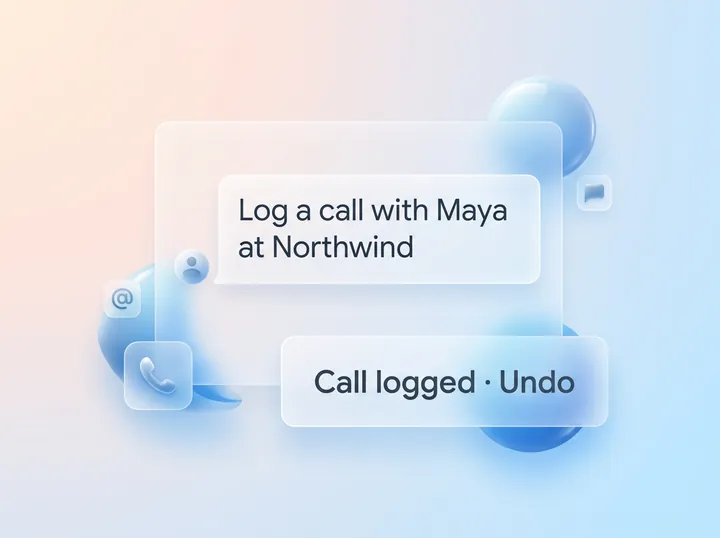
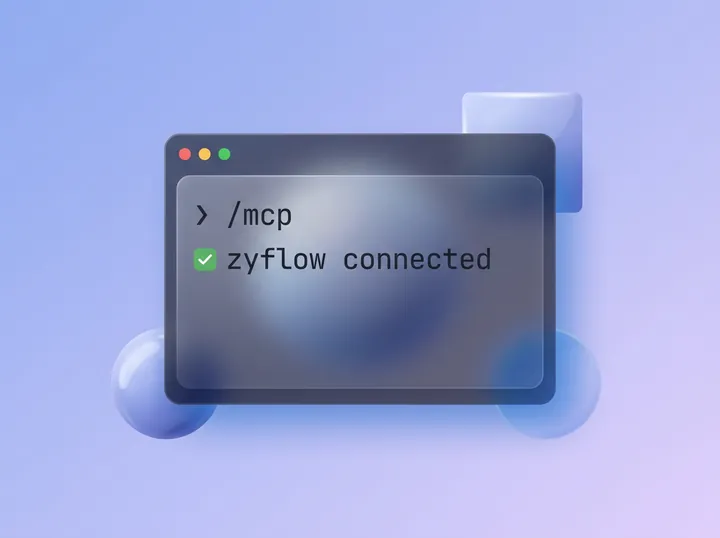
Run the command below, then type /mcp in Claude Code, sign in and approve one workspace. Claude Code can then look up customers, log calls and set follow-ups. Each change it makes is labeled with the app’s name and comes with an Undo.1
-
Add Zyflow in your terminal.
claude mcp add --transport http zyflow https://app.zyflowcrm.com/mcp
Your Zyflow link
https://app.zyflowcrm.com/mcp It’s the same link for everyone. The first time, Claude Code asks you to sign in and approve one workspace.
-
Type /mcp in Claude Code and choose zyflow. Your browser opens: sign in, or create your free account, then approve the one workspace Claude Code may use.
-
Tell Claude Code what happened, or ask. Try these:
Had a call with Maya Chen at Northwind. She wants the revised quote by Friday.
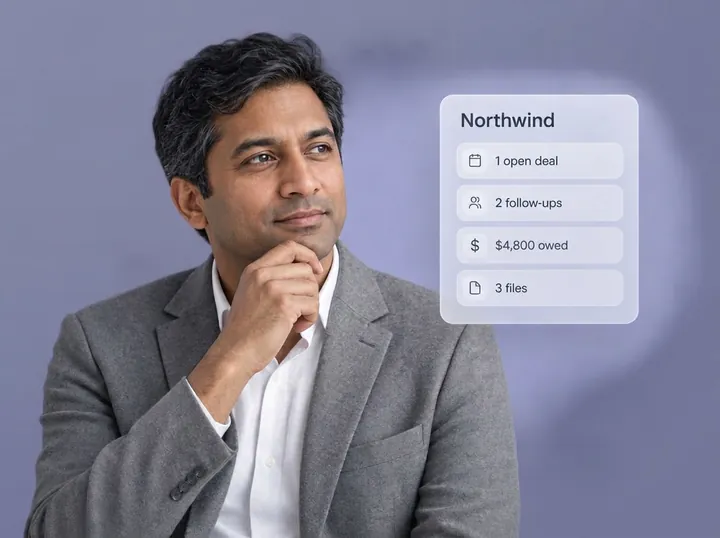
What do we know about Northwind?
What did you change since this morning?
-
Check the result. Claude Code reads back the follow-up date, Fri, 9 Oct. On Maya Chen’s page in Zyflow, the call and the follow-up are both labeled with the app that made them, each with an Undo.1
Claude Code reaches only the workspace you approved, with your role. It never gets your password, and it can’t touch billing, members or API keys. For look-ups from your own scripts, use a read-only API key.
If you still want to build: build on top, with Claude Code
If you still want to build a CRM with Claude Code, build on top of one. In the walkthrough below, Claude Code writes two scripts against Zyflow’s REST API: a weekly report and a website form relay.
What to build yourself, and what to leave to the CRM
Build what’s specific to your business: the Monday report your partner wants, your website form, the script that tags clients from your project tracker. Leave the record-keeping to the CRM, meaning matching, history, undo, sign-in and numbering. Some of what you might build is already in Zyflow, such as custom fields, your own pipelines and Notes for your AI (the standing instructions each AI app gets when it connects).
Step 1: Create a named API key
- Log in to Zyflow, open the Connect page and create an API key.
- Name it after what will use it. A key named “Website form” shows up in History under that name. Choose “Read only” for the report and “Read and write” for the form.
- Copy the key right away: it’s shown only once. Keys don’t expire on their own, and you can revoke one instantly.
- Keep keys on a server. The REST API accepts browser requests only from Zyflow’s own app, and any key, read-only included, can export the whole workspace. A “Read and write” key can also delete files from the trash for good, which AI apps can’t do.
- API keys are on every plan: 3 on Free.
Step 2: A weekly report script
This script runs once a week on a read-only key and needs Node 18 or later. It reads the morning list and the last 7 days of AI changes, then prints a Markdown summary: overdue follow-ups, money overdue, stuck deals, customers gone quiet, and what each AI app changed.
Give Claude Code this prompt:
Read the Zyflow OpenAPI reference at https://app.zyflowcrm.com/api/docs and write weekly-report.mjs for Node 18 or later. Call GET /api/v1/briefing?focus=all and GET /api/v1/changes?via=mcp&since=<ISO date 7 days ago>&limit=100. Print a Markdown summary: overdue follow-ups, money overdue, stuck deals, customers gone quiet, then this week’s AI changes grouped by app. Read ZYFLOW_URL and ZYFLOW_API_KEY from the environment and never print the key.
It should come back with something close to this:
weekly-report.mjs
// weekly-report.mjs: a weekly summary from Zyflow. Node 18+, read-only API key.
const BASE = process.env.ZYFLOW_URL;     // your Zyflow address
const KEY = process.env.ZYFLOW_API_KEY;  // zf_live_..., never printed
if (!BASE || !KEY) throw new Error('Set ZYFLOW_URL and ZYFLOW_API_KEY first.');

async function zyflow(path) {
  const res = await fetch(BASE + '/api/v1' + path, {
headers: { Authorization: 'Bearer ' + KEY },
  });
  const body = await res.json();
  // Errors arrive as { error, code, message, status }
  if (!res.ok) throw new Error(res.status + ' ' + body.code + ': ' + body.message);
  return body;
}

const since = new Date(Date.now() - 7 * 24 * 60 * 60 * 1000).toISOString();
const brief = await zyflow('/briefing?focus=all');
const history = await zyflow('/changes?via=mcp&limit=100&since=' + encodeURIComponent(since));

const money = new Intl.NumberFormat('en-US', { style: 'currency', currency: brief.currency });
const out = ['Zyflow weekly report, week to ' + brief.today, ''];
function section(title, rows) {
out.push(title + ' (' + rows.length + ')', ...(rows.length ? rows : ['- Nothing here.']), '');
}- section(‘Overdue follow-ups’, brief.tasks.overdue.map((t) =>
- ‘- ‘ + t.title + (t.contact ? ‘, ‘ + t.contact.name : ‘’) + ‘ (due ‘ + t.dueDate + ‘)’));
- section(‘Money overdue’, brief.dues.overdue.map((d) =>
- ‘- ‘ + d.name + ‘: ‘ + money.format(d.outstanding) + (d.due ? ‘, promised ‘ + d.due : ‘’)));
- section(‘Stuck deals’, brief.pipeline.stuck.map((d) =>
- ‘- ‘ + d.title + ‘: ‘ + d.stage + ‘ for ‘ + d.days + ‘ days’));
- section(‘Gone quiet’, brief.quiet.map((c) => ‘- ‘ + c.name));
const byApp = new Map();
for (const b of history.batches) {
  const app = b.actor.clientName || 'Unnamed app';
  if (!byApp.has(app)) byApp.set(app, []);
byApp.get(app).push('- ' + b.summary + (b.undoneAt ? ' (undone)' : ''));
}
out.push('AI changes this week' + (history.hasMore ? ' (latest 100)' : ''));
if (byApp.size === 0) out.push('- None.');
for (const [app, rows] of byApp) out.push(app + ':', ...rows);console.log(out.join(‘\n’));
END CODE
Schedule it with cron, for example every Monday at 8am. Keep ZYFLOW_URL and ZYFLOW_API_KEY in a file only you can read (here, $HOME/.zyflow-env), one export line each:
crontab line
0 8 * * 1  . $HOME/.zyflow-env && node $HOME/scripts/weekly-report.mjs > $HOME/reports/weekly.md
END CODEErrors come back as JSON with a code and a plain message. If the report says “latest 100,” there were more AI changes that week: page back with offset.
Step 3: A website form relay that runs on your server
This relay files each inquiry from your website’s contact form in Zyflow. It uses a “Read and write” key named “Website form” and runs as a serverless function or a route on your server, never in the browser. It does four things, in order:
-
Saves the contact with POST /api/v1/contacts?upsert=true. Zyflow answers with an action: created, updated, unchanged or ambiguous.
-
If the answer is ambiguous, it adds a follow-up for today with the message attached, so a person can decide which contact it is. A follow-up doesn’t need a customer.
-
Otherwise it logs the message on that customer with POST /api/v1/activities. If the same message arrived in the last 15 minutes, say from a double click, the answer carries duplicate: true and nothing new is saved.
-
Then it sets the follow-up “Reply to website inquiry” for tomorrow. A near-identical open follow-up comes back as a duplicate too.
Validate the fields and filter spam before anything reaches Zyflow. The relay doesn’t email the visitor, and Zyflow sends nothing to your customers. If you want an auto-reply, send it from your own email provider.
form-relay.mjs
// form-relay.mjs: files a website inquiry in Zyflow. Runs on your server, never in the browser.
const BASE = process.env.ZYFLOW_URL;
const KEY = process.env.ZYFLOW_API_KEY;  // a "Read and write" key named "Website form"

async function zyflow(path, body) {
  const res = await fetch(BASE + '/api/v1' + path, {
method: 'POST',
headers: { Authorization: 'Bearer ' + KEY, 'Content-Type': 'application/json' },
body: JSON.stringify(body),
  });
  const out = await res.json();
  if (!res.ok) throw new Error(res.status + ' ' + out.code + ': ' + out.message);
  return out;
}

export async function fileInquiry({ name, email, message }) {
  // 1. Land on the contact you already have, or create one.
const saved = await zyflow('/contacts?upsert=true', { name, emails: [email], source: 'Website form' });// 2. Could be two people? Leave it to a person instead of guessing.
  if (saved.action === 'ambiguous') {
    await zyflow('/tasks', {
title: 'Website inquiry from ' + name + ': check which contact',
description: email + '\n\n' + message,
due: 'today',
    });
    return 'needs a person';
  }

  const contactId = saved.record.id;
const similar = (saved.possibleDuplicates || []).map((c) => c.label);// 3. Log the message. The same message within 15 minutes comes back with duplicate: true.
await zyflow('/activities', { contactId, kind: 'message', title: 'Website form', body: message });// 4. Set the follow-up. A near-identical open follow-up comes back as a duplicate.
  await zyflow('/tasks', {
contactId,
title: 'Reply to website inquiry',
description: similar.length ? 'Similar names already in Zyflow: ' + similar.join(', ') : null,
due: 'tomorrow',
  });
  return saved.action; // created, updated or unchanged
}// Wire this to your host’s function or route: it takes a Request and returns a Response.
export async function handleRequest(request) {
  if (request.method !== 'POST') return new Response('Method not allowed', { status: 405 });
  const form = await request.formData();
  if (form.get('company_website')) return new Response('Thanks.'); // hidden field: people leave it empty
  const name = String(form.get('name') || '').trim().slice(0, 160);
  const email = String(form.get('email') || '').trim().slice(0, 254);
  const message = String(form.get('message') || '').trim().slice(0, 20000);
  if (!name || !/^[^@\s]+@[^@\s]+\.[^@\s]+$/.test(email) || !message) {
    return new Response('Please add your name, email and message.', { status: 400 });
  }
try {
    await fileInquiry({ name, email, message });
  } catch (err) {
console.error(err.message);
    return new Response('Sorry, that did not go through. Please email us instead.', { status: 502 });
  }
  return new Response('Thanks. We got your message.');
}END CODE
Test it with a sample inquiry from Maya Chen (maya@northwind.example). Every change it makes shows in History under “Website form,” with an Undo.1
Step 4: Use Zyflow’s tools from Claude Code directly
Not everything needs a script. Ask Claude Code in plain words and it picks the tool: “What’s on my plate this week?” calls get_briefing, and “Prep me for Northwind” calls get_customer. Zyflow also has ready-made MCP prompts for apps that support them, including daily_briefing, prepare_meeting, log_conversation and find_duplicates.
What the API doesn’t do yet
- No webhooks or event subscriptions. Poll /api/v1/changes instead.
- No official SDKs. Use fetch, or have Claude Code write a small client from the OpenAPI document.
- No idempotency keys on REST. Use upsert=true for contacts and rely on the duplicate checks above.
- Short burst limits stop runaway scripts. If you get a 429 with the code rate_limited, wait and try again.
- No Zapier, Make or n8n apps.
- Read the REST API docs
- Read the OpenAPI reference
Questions people ask about building a CRM with Claude
Can Claude build a CRM?
Yes. Claude Code can write a working CRM, and builders report simple versions in a few days. The hard part is keeping it right once more than one app or person writes to it. If you’d rather not own matching, duplicates, undo, history, sign-in and invoice numbers, connect a CRM and build only what’s yours.
How much does it cost to build a CRM with Claude Code?
One agency’s build guide estimates $300 to $500 to build and about $18 a month to run (alejandroarce.com, June 2026). Add your AI subscription and your own upkeep time, which neither figure includes. Connecting Claude Code to Zyflow costs nothing on the Free plan, which is for one person.
How long does it take to build a CRM with Claude Code?
Builders report anything from a few days to a few months, depending on how much they build. After that comes upkeep, the cost that doesn’t stop. Connecting Claude Code to Zyflow takes about two minutes.
Can I build a CRM with ChatGPT instead?
Yes. ChatGPT can write the same code, and you’d own the same boring parts: matching, duplicates, undo, sign-in and numbering. To have ChatGPT update Zyflow instead, you need developer mode on a ChatGPT Business, Enterprise or Edu plan.2 Claude connects on every plan.
Can a Claude artifact be my CRM?
For a demo, yes. Before you keep real customer records in an artifact, check Anthropic’s current help pages for where its data is stored and who can see it. A connected CRM keeps the record outside the chat, where every AI app you connect can use it.
Does Zyflow sync my email or calendar?
No. Email sync breaks DIY builds too, and Zyflow doesn’t sync email either. It doesn’t read your calendar or calls. Tell your AI what happened, or paste the thread, and your AI files it after showing you what it found. If your AI app has its own Gmail connector, it can read a thread and log it to Zyflow.
Can my own scripts use Zyflow?
Yes. Zyflow’s REST API at /api/v1 covers the same operations as its MCP server. Create a named API key, send it as a Bearer token from a server, and every change your script makes shows up in History under the key’s name, with an Undo.1 There are no webhooks or SDKs yet.
Can I bring the data from the CRM I built?
Yes, for contacts and companies. Export them to a CSV and import it into Zyflow. Each row goes through the same matching as a save, rows that could match more than one record are skipped and listed, and the whole import is one change you can undo.1 Deals, notes and follow-ups can move with a short script against the REST API. And if you leave later, you can export your records, documents and history.3