Zyflow features: the whole customer in one record your AI can reach
Tell your AI what happened. Zyflow files it on the right customer, labels the change, and shows you tomorrow who’s waiting.
Free plan. No card.
Works with Claude · ChatGPT2 · Claude Code · Cursor · VS Code · Gemini CLI · Windsurf · any MCP app Which AI plans work?
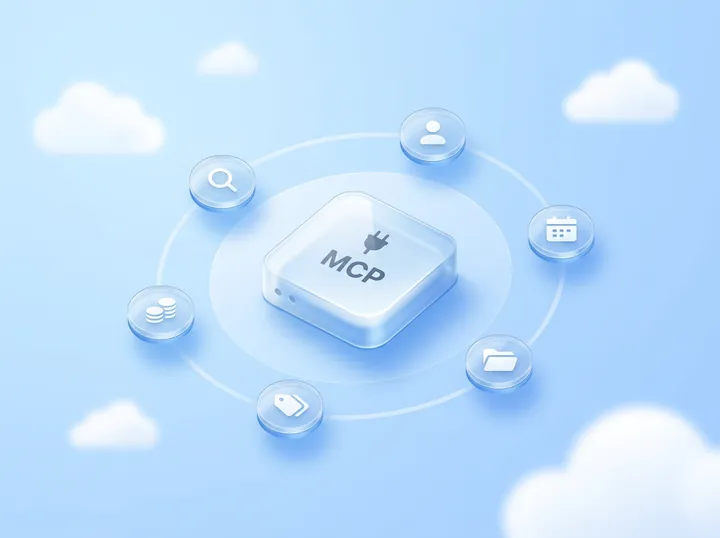
Zyflow is a lightweight small-business CRM your AI app keeps up to date (Claude, Cursor, ChatGPT Business, any MCP app). Every AI change is labeled. Zyflow works with any AI app that supports MCP, the standard way AI apps connect to tools.
Every Zyflow feature works on one record per customer: what you know about them, their deals, follow-ups, money owed, files, and the invoices, quotes and letters you make. Your AI app reads and updates that record while you talk to it, and your team works on the same record in the web app. Zyflow runs no AI of its own.
Your AI does the talking: it looks things up, asks and drafts. Zyflow keeps the record. It finds the customer you already have, labels each change, does the math and lists who’s waiting.
What does Zyflow keep about each customer?
Each customer gets one record that holds what you know about them, their deals, follow-ups, money owed, files and documents. Ask your AI “What do we know about Northwind?” and one lookup brings back the facts, open deals and follow-ups, money owed, recent activity, files and the next step.
- What we know Prefers a call to an email
- Deals Workshop series · Proposal
- Follow-ups Send revised quote · Fri, 9 Oct · Added by Claude via MCP
- Money owed $4,800 · promised by the 15th
- Files Signed proposal.pdf
- Documents INV-0042 · $3,960
- AI apps (Claude, Cursor, ChatGPT and any MCP app)
- People in the web app
- Scripts through the REST API
So before a call, you see what they want, what they owe and what you promised, without scrolling back through last week’s chat.
What can your AI do in Zyflow?
Your AI can save facts about each customer, log calls and set follow-ups, make invoices and quotes, find the right record, search and tidy files, and show you what it changed so you can undo it.1 You start each one by telling your AI in a sentence.
-
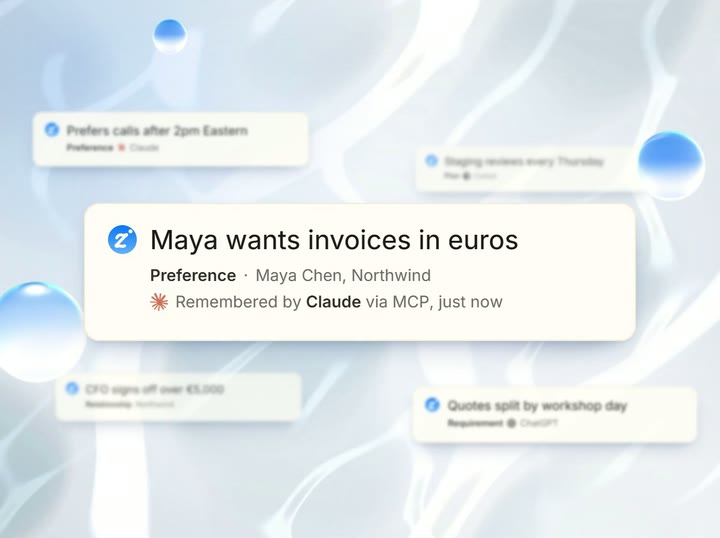
Memory
You say “Remember that Maya prefers a call to an email.”
Zyflow keeps the fact on Maya’s record, and every connected AI app reads the same facts. So the AI that remembers your customers is whichever one you open: tell Claude today, ask Cursor tomorrow. When a fact changes, Zyflow archives the old one, and you can still see it on the Memory page.
-
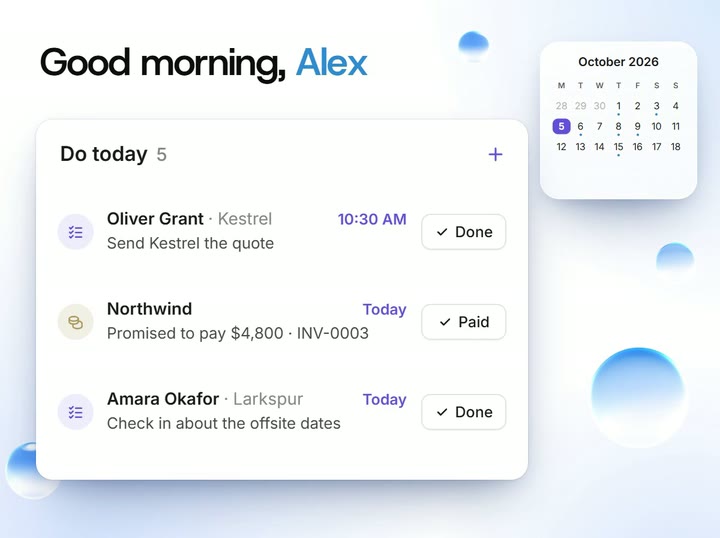
Follow-ups and the morning list
You say “Had a call with Maya at Northwind. She wants the revised quote by Friday.”
Your AI logs the call and sets the follow-up on the customer you already have, then reads back the date: Fri, 9 Oct. Each morning, Today ranks the client follow-ups that are due, so you start the day knowing who’s waiting. Say “Northwind owes $4,800, will pay by the 15th” and Zyflow records the balance, the promise date and a reminder to chase it. The reminder closes itself once the payment is recorded.
-
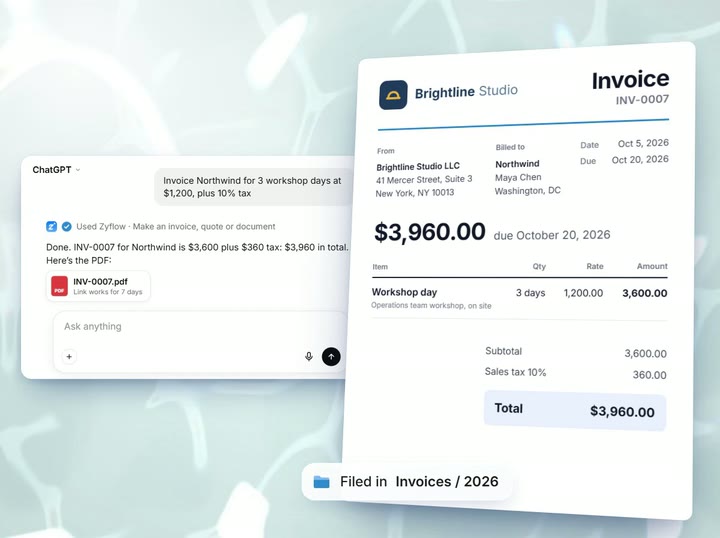
Invoices and quotes
You say “Invoice Northwind for 3 workshop days at $1,200, plus 10% tax.”
Zyflow numbers it, works out the tax and the total to the cent ($3,960 in all), renders the PDF, files it under Northwind and gives you a link to it that works for 7 days. You can bill in any currency, and a quote becomes an invoice in one step. In a CRM with invoicing, the invoice sits on the same record as your calls and follow-ups with that customer.
-
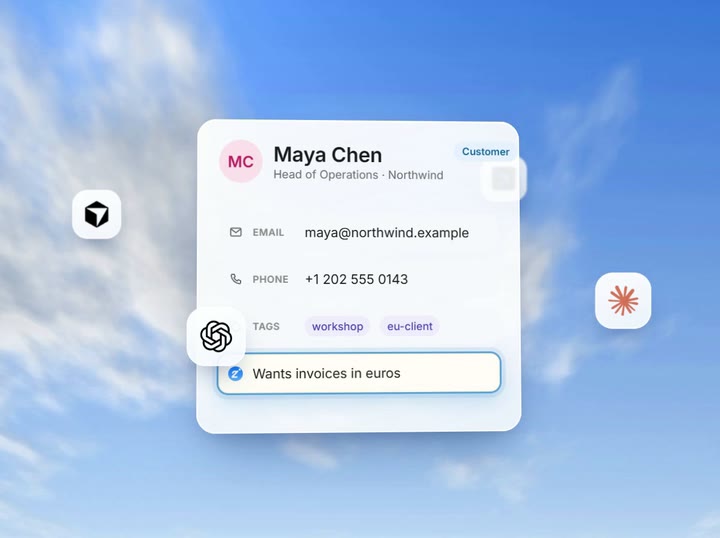
Customer database
You say “Log a call with Sam.”
If you have two customers named Sam, Zyflow gives your AI both candidates and what tells them apart, so it can ask you: Sam Ortiz at Halden, or Sam Lee at Fieldhouse? When your AI saves someone, Zyflow finds the record you already have in your customer database and updates it. Zyflow flags look-alike names and leaves any merge to you and your AI.
-
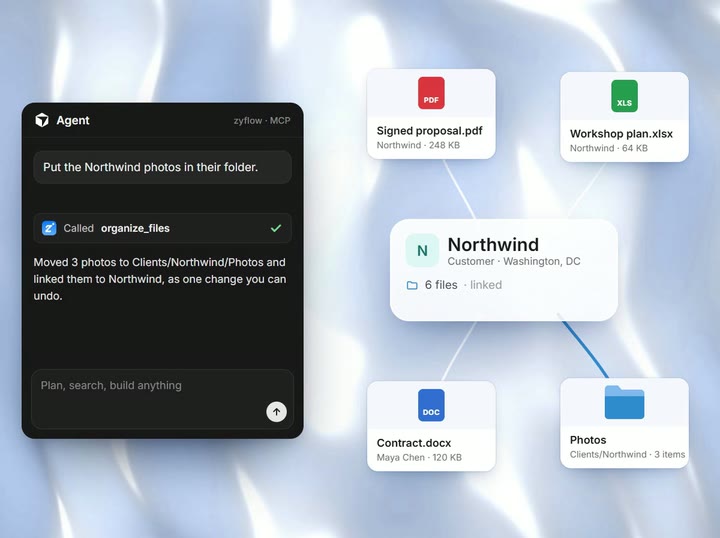
Files
You say “Find the Kestrel proposal and link it to the deal.”
Zyflow is a CRM with file storage. Files live with their customer or deal and show up when your AI looks up that customer. Your AI can search and save files, and move, rename or link up to 50 at once as one change you can undo. Deleted files go to a 30-day trash.
-
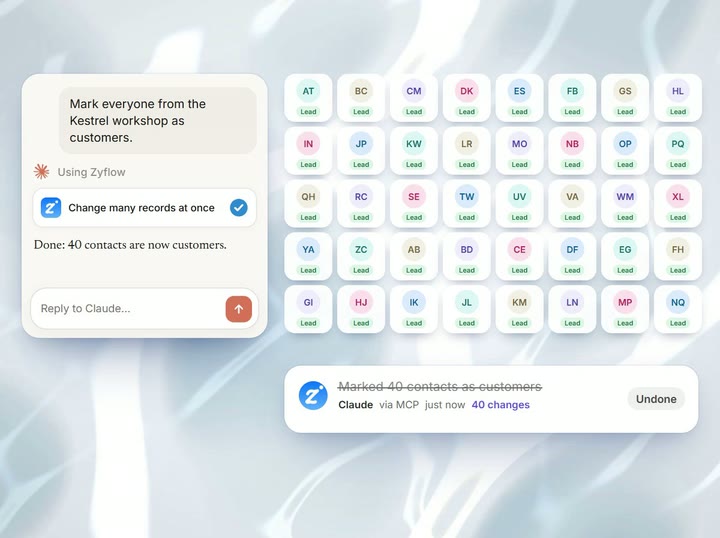
History and undo
You say “What did you change since this morning?”
Your AI answers from History, which lists every change by app, person, API key or import: “Added by Claude via MCP, 2 min ago” or “Claude for Dana”. “What your AI did” on Today recaps the last 24 hours. Each thing your AI does is one change, so you can undo AI changes with one click each. An undo can be undone too.
Free plan. No card.
Do you have to do everything through your AI?
No. The web app opens the same record your AI uses, so you can click when that’s faster.
- Today
- the ranked morning list. Every row has Call, WhatsApp, Snooze and Done, each with an Undo. WhatsApp opens a pre-typed message for you to send.
- Contacts
- lifecycle tabs, filters you can bookmark, bulk tags and CSV export.
- Deals board
- your stages, with counts and weighted totals for each.
- Tasks
- Overdue, Today, Next 7 days and Assigned to me.
- Memory
- current facts, and the ones marked “No longer true”.
- Files
- nested folders, previews and the 30-day trash.
- Documents
- invoices, quotes and letters, with 5 built-in templates.
The web app works in your phone’s browser and can be added to your home screen.
How do AI apps, people and scripts get in?
There are four ways into the same record: your AI app, the web app, the REST API with named keys, and CSV import. History labels every change with its source, whether that’s an app, a person, an API key or an import.
-
Your AI app
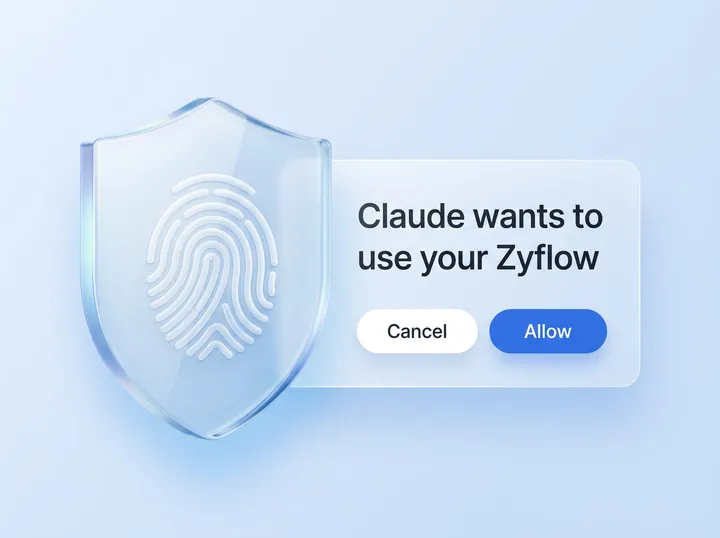
Paste your Zyflow link into Claude, ChatGPT,2 Cursor or another MCP app, then sign in and approve one workspace. In Claude, it takes about two minutes. The Claude CRM and ChatGPT CRM pages walk through setup in each app, and the CRM MCP server page lists all 32 tools and the safety model.
-
The web app
You and your team sign in and work on the same customers.
-
Named API keys let scripts and website forms use the same data, and those calls are never billed.
-
CSV import
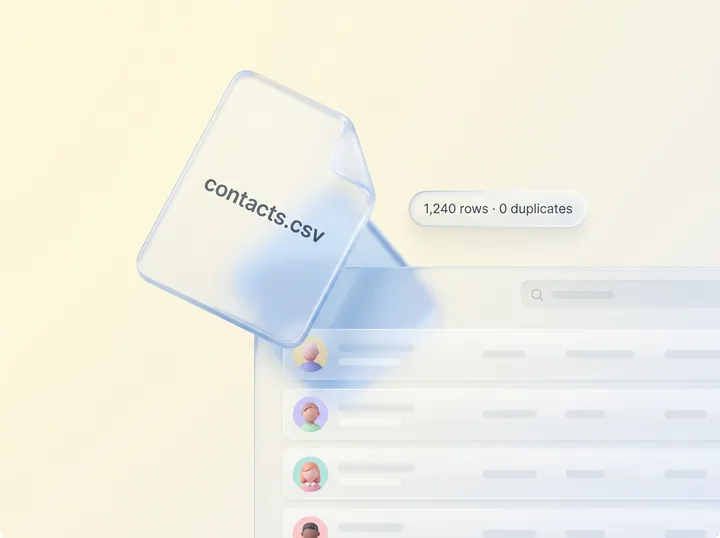
Bring a CSV from any spreadsheet or CRM export, up to 50,000 rows. Rows for customers you already have land on their existing records, and the whole file is one change you can undo.1 Import your contacts.
The CRM features small businesses ask for, and where Zyflow stands
Zyflow covers the core of a small-business CRM: contacts, a sales pipeline, follow-up reminders, quotes and invoices, files and export. It doesn’t sync email or calendars, run automations, build custom reports or offer a native mobile app yet.
- Contact management Yes. Saves land on the record you already have
- Sales pipeline Yes. Deals with your stages, and a deals board
- Follow-up reminders Yes. On Today and in the 8am email. No push notifications
- Email and calendar sync No. Tell your AI, or paste the thread
- Automation, sequences, campaigns No. Your AI does the steps when you ask
- Reports and dashboards Partly. Morning list, stage totals, “What your AI did”. No custom reports
- Mobile Partly. Phone browser, add to home screen. No native app
- AI Runs no AI of its own. Works with your AI app
- Quotes and invoices Yes, every plan. Records payments; doesn’t collect them
- Files and documents Yes, filed by customer and deal. Your AI can’t read PDF text
- Integrations MCP apps and the REST API. No Zapier, Make, n8n or webhooks
- Team Yes. One shared record. No per-person permissions yet
- Security One workspace per connection. No 2FA, SSO or SOC 2 yet
- Changes made by your AI Labeled by app. Undo within your history window1
- Export Any time, every plan3
Which features are on the Free plan?
Every feature we offer today is on every plan, Free included: memory, follow-ups and the morning list, money owed, invoices and quotes, the files drive, history and undo, the REST API, CSV import and export. Paid plans raise the limits on people, records, file storage and history.
Your AI will get things wrong sometimes. Plan for that: every change it makes is labeled with the app that made it, and you can undo what it gets wrong.1
Not a fit if...
Zyflow isn’t a fit yet if you need:
- email or calendar sync, sequences, campaigns, dialers or forecasting
- dispatch, booking or texting for trades and field service
- a home for regulated data, such as patient records
- property listings and showings for real-estate work
- a WhatsApp inbox
- card payment collection or e-signature
- SSO, two-factor sign-in or per-person permissions
- certifications such as SOC 2, or EU data residency
- a native mobile app, or a language other than English
- more than 30 people
It’s also not for you if you don’t use an AI app and don’t plan to.
Zyflow is built for owner-run businesses that sell expertise: consultants, freelancers, solopreneurs and small studios.
Questions about Zyflow’s features
Does Zyflow have its own AI?
No. Zyflow runs no AI of its own. The AI app you already use, such as Claude, Cursor or ChatGPT on a Business plan, does the talking, and Zyflow keeps the record it reads and writes. Because Zyflow has no AI costs to pass on, your AI’s calls to Zyflow are never billed and there are no AI credits.
Can I use Zyflow without an AI app?
Yes, for day-to-day work. The web app opens the same record your AI uses: Today, contacts, the deals board, tasks, memory, files and documents. Without an AI app, you type each update yourself. Zyflow is built for people who also work in an AI app, so if you don’t use one and don’t plan to, it isn’t for you.
Can my team use it?
Yes, on a paid plan. Solo covers up to 3 people, Team up to 10 and Pro up to 30. Teammates work on the same records, and each person can connect their own AI app. You can assign follow-ups, each person gets their own 8am email, and History shows who changed what, by person and app (“Claude for Dana”). Every member, and every member’s AI, can see and edit every customer; there are no per-person permissions yet.
Does Zyflow sync my email or calendar?
No. Zyflow doesn’t read your inbox, calendar, calls or WhatsApp. Tell your AI what happened in a sentence, or paste the thread, and your AI files it after showing you what it found. If your AI app has its own email connector, it can read a thread there and log it to Zyflow.
- 1 Undo works within your plan’s history window: 30 days on Free, up to 3 years on paid plans. Deleted items can be restored for 30 days on every plan. Settings changes, such as pipelines, custom fields and tag renames, are logged but can’t be undone.
- 2 Writing to Zyflow from ChatGPT needs developer mode on a ChatGPT Business, Enterprise or Edu plan. It’s in beta, on the web, and an admin switches it on. Claude works on every plan. Checked October 2026.
- 3 Export gives you six CSV files, or one JSON file with your records, documents, change history (up to 100,000 changes) and links to every file. File contents download separately from Files.
Last updated Oct 3, 2026
Your AI talks. Zyflow remembers.
Tell your AI what happened. Zyflow keeps the record.
If your AI gets something wrong, undo it.1 If Zyflow isn’t for you, export your records, documents and history.3
Free plan. No card. Connect your AI in about two minutes.