Give your AI a memory of every customer
You’ve explained the same client to your AI three times this week. Zyflow is the AI that remembers your customers, for the AI you already use: the facts you or your AI save stay on the customer’s record, where every AI app you connect can read them.
Free plan. No card.
Zyflow works with any AI app that supports MCP, the standard way AI apps connect to tools. Zyflow is a lightweight small-business CRM your AI app keeps up to date (Claude, Cursor, ChatGPT Business, any MCP app). Every AI change is labeled.
Why does your AI keep forgetting your clients?
Your AI app’s own memory is about you, and it stays inside that app. Claude keeps a separate memory for each project and each person, and team owners can’t see members’ memories (Claude Help Center, checked Oct 3, 2026). Switch apps, start a new project or hand the client to your teammate Dana, and the explaining starts over.
| Where the memory lives | Your AI app’s memory | Zyflow facts |
|---|---|---|
| What it’s about | You and your work | Your customers |
| Where it lives | One app, often one project | The customer’s record |
| Who sees it | You | Your team and every AI app they connect |
| Fixing and tracing it | Depends on the app | Source on every fact; edit, archive or undo1 |
To stop re-explaining your business to your AI, keep the facts on the customer’s record. It’s customer memory for the AI you work in, and your customers never see it.
An AI that remembers your customers’ names, preferences and promises
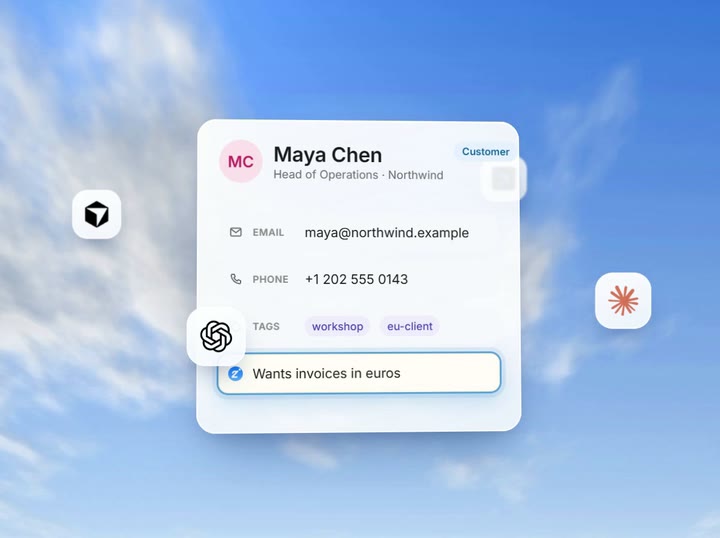
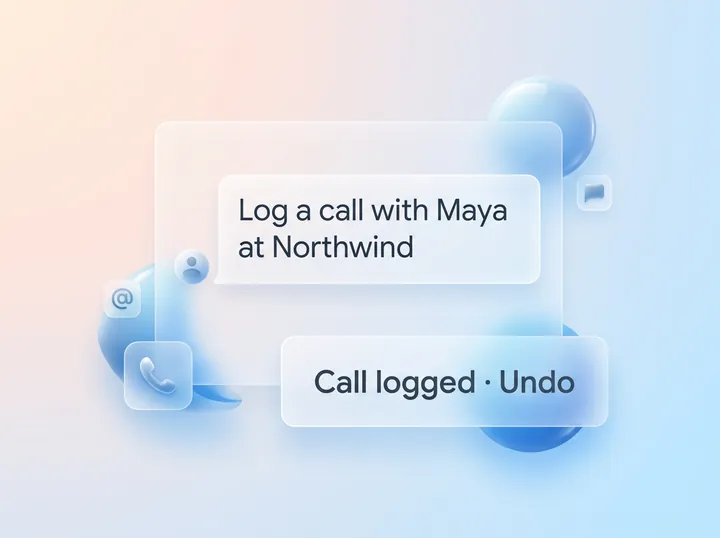
Say “Remember that Maya at Northwind wants invoices in euros,” and your AI saves it to Maya’s record in one of 8 categories: preference, requirement, plan, relationship, personal, commitment, issue or note. Pinned facts come first, and any fact can carry an end date. When things change, replace the fact: the old one moves to No longer true, where you can still find it.
One example of each:
- Preference
- Maya wants invoices in euros.
- Requirement
- Quotes split by workshop day.
- Plan
- Website rebuild in May.
- Relationship
- Maya’s CFO signs off over €5,000.
- Personal
- Training for the Berlin Marathon.
- Commitment
- Revised scope promised by Friday.
- Issue
- Last invoice paid 3 weeks late.
- Note
- Dana ran the kickoff.
- Zyflow finds the customer in your customer database from the name you use (“Maya at Northwind”). If the name could mean two people, Zyflow has your AI ask you which one.
- Near-identical facts aren’t stored twice.
- Facts attach to the person, company or deal you name. A person’s brief also shows their company’s facts.
Zyflow doesn't decide what to remember. You or your AI do.
One memory for every AI app you connect: tell Claude today, ask Cursor tomorrow
Tell Claude on Monday that Kestrel is pausing new work until April. On Tuesday, ask Cursor what’s happening with Kestrel. Cursor gets the same fact, with the day it was saved and who saved it, because both apps read Kestrel’s record in Zyflow.
-
Mon, 5 Oct, in Claude:
“Kestrel is pausing new work until April. Remember that.”
-
Claude saves it on Kestrel’s record, labeled
“Remembered by Claude via MCP.”
-
Tue, 6 Oct, in Cursor:
“What’s happening with Kestrel?”
The answer carries the fact, dated Mon, 5 Oct, from Claude.
Dana’s AI apps can read it too. See how one link works on the CRM MCP server page, or start on the Claude CRM page.
Free plan. No card.
Start freeBefore a call, ask “What do we know about Northwind?”
Your AI gets one brief in a single lookup: pinned and recent facts, open deals, follow-ups, money owed (marked overdue when late), recent activity, linked files, the next follow-up and an Open in Zyflow link. Your AI writes the summary; Zyflow supplies the record.
Northwind’s brief also carries its people’s facts, so Maya’s invoicing preference is there before you dial. Its follow-ups are the ones on your client follow-up list. See how Zyflow works for consultants.
Facts past their end date are left out of the brief but stay searchable.
Every fact shows who saved it
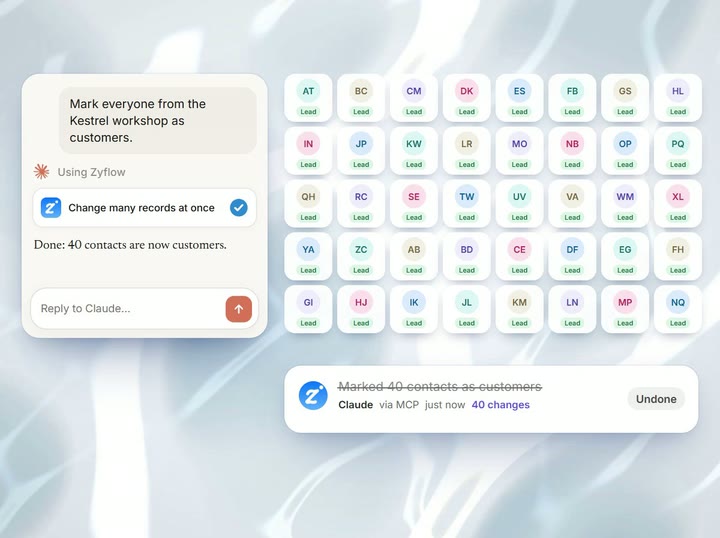
Each fact names its source: “Remembered by Claude via MCP, 2 min ago,” a teammate’s name such as “Remembered by Dana,” or the name of the API key that saved it. When a fact looks wrong, you know where it came from, and one click undoes the change.1
See how undo worksBrief your AI once, with Notes for your AI
Notes for your AI are the standing instructions you’d otherwise repeat in every chat, such as “We quote prices before tax.” Owners and admins write them once in Settings > Business profile. Keep them short: about 1,500 characters reach each AI app when it connects. How closely your AI app follows them depends on the model.
Set up Notes for your AISee and fix every fact on the Memory page
Check what your AI has saved on the Memory page in the web app. Every fact sits under Current or No longer true, with category filters, search and a “Remember something” button. Pin, edit, archive or restore any fact, or move it to the 30-day trash. A replaced fact is marked “Replaced by a newer fact.”
What memory doesn’t do
- Zyflow doesn’t read your inbox, calendar, calls or WhatsApp. Tell your AI, or paste the thread, and your AI files it after showing you what it found.
- Your AI app decides whether to look a customer up before answering. Zyflow’s instructions tell it to.
- Every member, and every member’s AI, can see and edit every customer. There are no per-person permissions yet.
- Zyflow sends nothing to your customers. Your AI drafts; you press send.
Not a fit if...
Zyflow isn’t a fit yet if you need:
- email or calendar sync, sequences, campaigns, dialers or forecasting
- dispatch, booking or texting for trades and field service
- a home for regulated data, such as patient records
- property listings and showings for real-estate work
- a WhatsApp inbox
- card payment collection or e-signature
- SSO, two-factor sign-in or per-person permissions
- certifications such as SOC 2, or EU data residency
- a native mobile app, or a language other than English
- more than 30 people
It’s also not for you if you don’t use an AI app and don’t plan to.
Prompts to try
Copy one into any AI app you’ve connected.
-
“Remember that Maya at Northwind wants invoices in euros and approves anything over €5,000 with her CFO.”
-
“What do we know about Northwind?”
-
“Kestrel is pausing new work until April. Remember that until the end of March.”
-
“Before my call with Sam Lee at Fieldhouse, what did we promise him?”
Not connected yet? See the setup guides.
Questions about memory
Is this the same as ChatGPT memory?
No. ChatGPT’s memory is about you and stays inside ChatGPT. Zyflow keeps facts about your customers on each customer’s record, where your teammates and any AI app you connect can read them. ChatGPT can write to Zyflow on Business, Enterprise and Edu plans, in developer mode.2
Who can see the facts?
Everyone on your team, and every AI app they connect. There are no per-person permissions yet. Each AI app reaches only the one workspace you approved, you can disconnect it any time, and nothing is shown to your customers.
Can I correct a fact?
Yes. Tell your AI what changed (“Maya now wants invoices in pounds”) and it can replace the old fact, which moves to No longer true. Or edit, pin, archive or restore facts yourself on the Memory page. Every change is labeled and can be undone.1
Does Zyflow read my chats?
No. Zyflow gets only what your AI app sends when it saves or looks something up. The rest of the conversation doesn’t reach Zyflow. It doesn’t read your inbox, calendar, calls or WhatsApp either.
Do facts cost extra or count toward my plan?
No. Memory is on every plan, including Free, and facts don’t count toward your record limit. Your AI’s calls to Zyflow are never billed, so saving or reading a fact costs nothing extra.
Can I bring what my AI app already remembers?
Yes. Ask your AI: “Save what you already know about Northwind to Zyflow, and show me the list first.” Each fact it saves is labeled with the app’s name. Nothing is imported automatically, and Zyflow can’t see your AI app’s own memory.
- 1 Undo works within your plan’s history window: 30 days on Free, up to 3 years on paid plans. Deleted items can be restored for 30 days on every plan. Settings changes, such as pipelines, custom fields and tag renames, are logged but can’t be undone.
- 2 Writing to Zyflow from ChatGPT needs developer mode on a ChatGPT Business, Enterprise or Edu plan. It’s in beta, on the web, and an admin switches it on. Claude works on every plan. Checked October 2026.
- 3 Export gives you six CSV files, or one JSON file with your records, documents, change history (up to 100,000 changes) and links to every file. File contents download separately from Files.
Source: Claude Help Center, memory (support.claude.com/en/articles/11817273), checked Oct 3, 2026. Last updated Oct 3, 2026
Your AI talks. Zyflow remembers.
Tell your AI what happened. Zyflow keeps the record.
If your AI gets something wrong, undo it.1 If Zyflow isn’t for you, export your records, documents and history.3
Free plan. No card. Connect your AI in about two minutes.