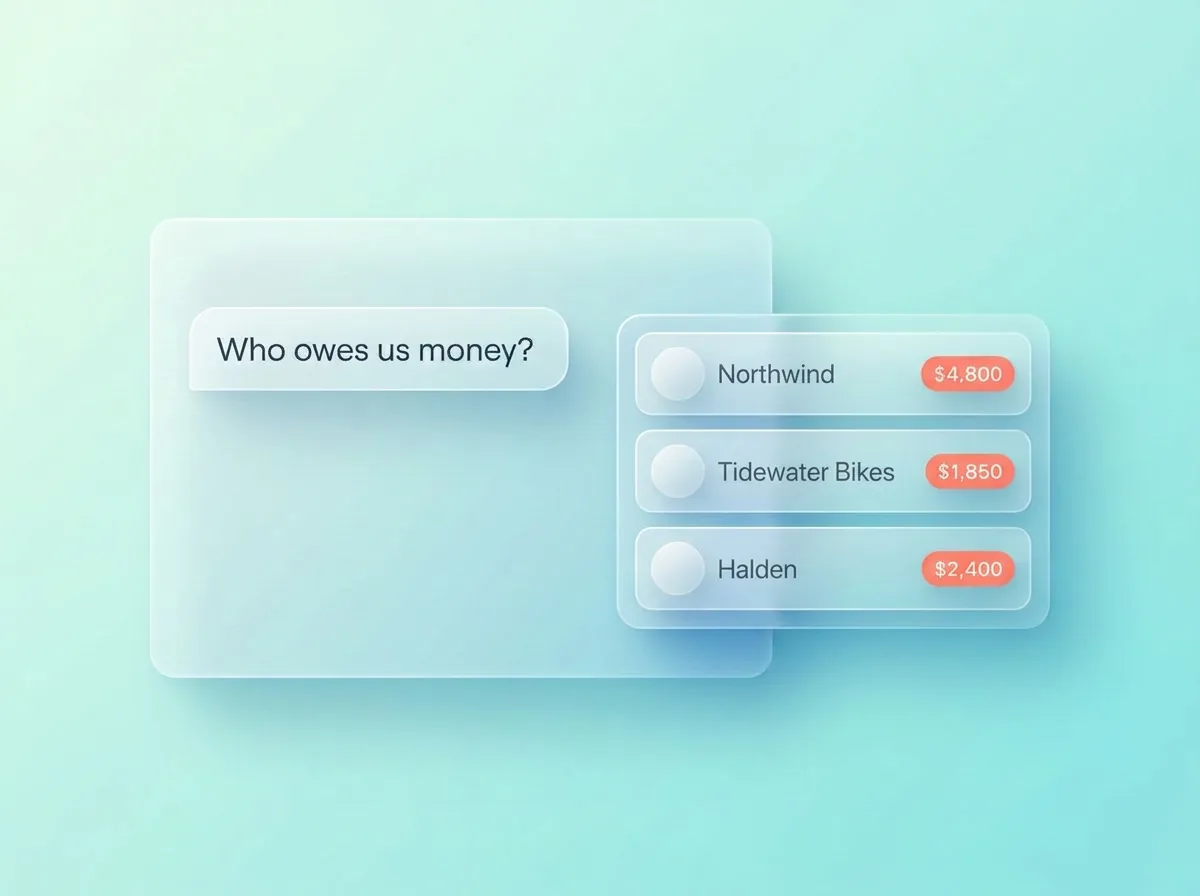
What can ChatGPT keep about your clients on its own?
Some of it, spread across three features. Memory can hold facts you tell it, a project can hold a client’s files and instructions, and a scheduled task can remind you at a set time. None of them gives you a customer list you can sort, share with your team or undo, and your other AI apps can’t see what’s in them.
You’re not the only one trying: 31% of US small businesses that use AI use it to manage customer relationships (US Chamber of Commerce, October 2026).
| Feature | What it does for client records | Where it stops |
|---|---|---|
| Memory | Recalls facts you’ve shared, like “Maya prefers calls before 10am”, in later chats | Free text you can’t sort or export as a list. Facts can go stale, and they stay in your ChatGPT account |
| Projects | Keeps one client’s chats, files and instructions together | One project per client, with no due dates or balances to sort by |
| Scheduled tasks | Reminds you at a time you set, such as Friday at 9am | Not attached to a customer record, and doesn’t know when the follow-up is done |
That’s where ChatGPT as a CRM runs out. Memory is fine for a preference like “calls before 10am”, but a client list needs records with dates and balances you can sort, so Friday’s quote isn’t sitting in a chat you scrolled past on Tuesday. In Zyflow, facts sit on the customer’s record, where every AI app you connect can read them.
Option 1: ChatGPT plus a spreadsheet
It works for a short list. Upload a CSV of your clients and ChatGPT can answer questions about it, such as who you haven’t spoken to since June. If you want to use ChatGPT as a CRM today without connecting anything, start here.
Where the spreadsheet breaks
- You keep the master copy, and every update is yours to make. ChatGPT works on the file you upload, so each change means a new download and a new upload.
- Duplicates creep in: “Sam Ortiz” on row 12 and “Sam O.” on row 40.
- Nothing reminds you tomorrow. A date in a column doesn’t tell anyone it’s due.
- Your team works from whichever copy they downloaded last.
- You can’t tell which edit came from the AI, or take one back.
Thinking of having ChatGPT write you a CRM app instead? Read our guide: Should you build your own?
Option 2: Connect a CRM to ChatGPT
A connected CRM gives ChatGPT a customer database to read and write while you chat: follow-up dates, balances and a history of changes. Whether ChatGPT can write to it depends on your plan.
Which ChatGPT plans can connect a CRM?
Writing to a CRM through a custom connector is supported on ChatGPT Business, Enterprise or Edu, with developer mode switched on by an admin. Developer mode is in beta and works on the web only. On other plans, check whether your CRM has its own ChatGPT plugin, or connect it to Claude, which works on every plan. Checked October 2026.
| Plan | ChatGPT reads and writes your records |
|---|---|
| Business, Enterprise, Edu | Yes, in developer mode (beta, web only, an admin switches it on) |
| Plus, Pro, Go, Free | Writing isn’t supported today; use Claude instead |
CRM plugins in ChatGPT’s directory
Some CRMs have their own plugin in ChatGPT’s directory. HubSpot’s plugin reads and writes, Close has an official one, and monday CRM is listed under Productivity. Zoho’s MCP works with ChatGPT developer mode. Which ChatGPT plans a plugin supports is up to OpenAI and the vendor, so check before you choose (checked Oct 2, 2026). Zyflow isn’t in the directory yet; it connects as a custom connector.
Several CRMs already connect to ChatGPT, and HubSpot Free covers 2 users and 1,000 contacts (checked Oct 2, 2026), a fair deal for two people. Where CRMs differ is what happens when ChatGPT writes. In Zyflow, saves land on the record you already have, and each change is labeled with the app that made it, with an Undo.1
See what a ChatGPT CRM does once it’s connected.
How to use ChatGPT as a CRM with Zyflow, step by step
With Zyflow it’s five short steps: check your ChatGPT plan, turn on developer mode, create a connector with your Zyflow link, sign in and approve one workspace, then switch Zyflow on in a chat. After that, tell ChatGPT what happened with a client, and Zyflow files it on the right customer with a label and an Undo.1
-
Check your plan.
You need ChatGPT Business, Enterprise or Edu.2 On other plans, skip to what works on your plan.
-
Turn on developer mode.
In ChatGPT on the web, open Settings, then Security and login, and switch on Developer mode. Don’t see the switch? OpenAI said on October 1, 2026 that eligible accounts no longer need it, so go to the next step.
-
Create the connector.
On ChatGPT’s Plugins page (chatgpt.com/plugins), select the + button, name the app Zyflow, pick OAuth for authentication and paste your Zyflow link:
https://app.zyflowcrm.com/mcpIt’s the same link for everyone. The first time, ChatGPT asks you to sign in and approve one workspace.
-
Sign in and approve.
A Zyflow window opens. Sign in, or create your free account, and choose the one business ChatGPT can use. It works like “Sign in with Google”: you never paste a password into ChatGPT.
-
Turn Zyflow on in a chat.
In a new chat, switch Zyflow on from the tools menu, then say your first thing: “Add Maya Chen at Northwind as a new client.”
On ChatGPT Business, an admin switches on developer mode first. If you’re the only person in the workspace, that’s you. Developer mode is in beta and works in ChatGPT on the web.
Under the hood, Zyflow is a CRM MCP server, so the same link works in Claude, Cursor and any MCP app.
Free plan. No card.
On ChatGPT Free or Plus? Here’s what works
Use Claude with the same Zyflow workspace. Claude can add custom connectors on every plan, and Claude Free allows one. Your records live in Zyflow, so if your team moves to ChatGPT Business later, ChatGPT connects to the same customers and there’s nothing to import.
Prefer to click? Zyflow’s web app has Today, your customers, a deals board, follow-ups, files and invoices, all on the same records your AI uses.
Read how to use Claude as a CRM, or see how the Claude CRM works.
On ChatGPT Plus or Free? Claude works on every plan, including Claude Free.
What works and what doesn’t
On its own, ChatGPT is good for talking through a client, and a spreadsheet can hold the list. A connected CRM also keeps the record of who’s waiting, who owes you and what changed.
The gap is widest when your AI gets something wrong. With AI edits and no history behind them, there’s no way to roll back a bad change and no way to see who made it.
| Job | ChatGPT on its own | ChatGPT plus a spreadsheet | ChatGPT plus Zyflow (Business, Enterprise or Edu)2 |
|---|---|---|---|
| Log a call | A fact in memory, if it saves one | You edit the file and upload it again | Logs the call and sets the follow-up on the customer you already have. A new customer is saved first |
| Recall a client | What memory or the project holds | What the last upload says | “What do we know about Northwind?” returns facts, deals, follow-ups, money owed and files |
| Reminders | A scheduled task at a set time, not tied to the client | None, unless you set one up elsewhere | Follow-ups on Today, in your AI and in the 8am email |
| Money owed | A line of text | A column you keep current | Balance, promise date and a reminder that closes itself once the payment is recorded |
| Invoices and quotes | A draft in the chat | Your own template | A numbered PDF filed under the customer, with a 7-day link. Zyflow does the math |
| Team view | Your own chats | One shared file, if everyone uses it | The web app, on the same records |
| Undo a wrong change | Edit or delete a memory by hand | Your sheet app’s version history, if it has one | Each change labeled with the app. One click undoes it1 |
| Other AI apps | Stays in ChatGPT | Wherever the file goes | Claude, Cursor and any MCP app read the same records |
Spot an error? Tell us.
Reminders show on Today, in your AI and in the 8am email; nothing is pushed to your phone. Every member, and every member’s AI, can see and edit every customer; there are no per-person permissions yet. Unit prices come from what you or your AI enter; there’s no price list.
Prompts that work
Here’s one week with ChatGPT and Zyflow, starting from an empty workspace. Copy each prompt as it is. They work the same way in Claude.
Monday
Add Maya Chen at Northwind as a new client and log a call: she wants the revised quote by Friday.
What happens: Your AI saves Maya, then logs the call with the follow-up and reads back the date: Fri, 9 Oct. Each change is labeled with the app that made it, with an Undo.1
Remember that Maya prefers calls before 10am.
What happens: Zyflow keeps it on Maya’s record, for every AI app you connect.
Tuesday
Log a call with Sam: she approved the brief.
What happens: If you have two clients called Sam, your AI asks: Sam Ortiz at Halden or Sam Lee at Fieldhouse?
Wednesday
Northwind owes $4,800 and will pay by the 15th.
What happens: Zyflow records the balance, the promise date and one collection reminder.
Thursday
Invoice Northwind for 3 workshop days at $1,200, plus 10% tax.
What happens: Zyflow numbers the invoice, works out the total ($3,960), makes the PDF and files it under Northwind.
Friday
What’s on my plate today?
What happens: Your AI reads you the morning list, with Maya’s revised quote due today.
Any day
What did you change since this morning?
Undo what you just did.
What happens: Your AI lists its changes from History, and one undo reverses the last one.1
Zyflow doesn’t read your inbox, calendar, calls or WhatsApp. Tell your AI, or paste the thread. Zyflow doesn’t decide what to remember; you or your AI do.
Working on your own? See how Zyflow works as a CRM for solopreneurs.
Common questions
Can I use ChatGPT as a CRM?
Not by itself. ChatGPT can remember facts and remind you at a set time, but it doesn’t keep a customer database your team can share and you can correct. For that, connect a CRM. On ChatGPT Business, Enterprise or Edu, use developer mode. On other plans, use a CRM’s own ChatGPT plugin, or connect the CRM to Claude.
What is the best AI CRM?
The one that fits where you already work. Ask three things: does it work with your AI app on your plan, does it bill you for AI use, and can you undo what the AI changed? Zyflow runs no AI of its own, never bills your AI’s calls and labels every AI change, with an Undo.1
Is there a 100% free CRM?
Yes, with limits. HubSpot Free covers 2 users and 1,000 contacts, Zoho CRM 3 users and 5,000 records, and Attio 3 seats and 50,000 records (checked Oct 2, 2026). All three allow more people than Zyflow Free: $0 for one person and 5,000 records, with no card and no time limit. The ChatGPT catch: writing to Zyflow from ChatGPT needs Business, Enterprise or Edu.2
Does ChatGPT remember my clients between chats?
Partly. With memory on, ChatGPT can recall facts you’ve shared, and a project keeps one client’s files and instructions together. It’s free text in your ChatGPT account: no due dates, no balances and nothing your team or other AI apps can see.
Can ChatGPT remind me to follow up?
On some plans, with a scheduled task at a time you set. The task isn’t tied to a customer and doesn’t know when you’ve followed up. In Zyflow, follow-ups sit on the customer and show on Today, in your AI and in the 8am email. One point in ChatGPT’s favor: its tasks can notify you, and Zyflow pushes nothing to your phone.
Will ChatGPT make mistakes in my CRM?
Your AI will get things wrong sometimes. Plan for that. In Zyflow, when a name could mean two people, your AI asks which one you mean. Saves land on the record you already have, every change is labeled with the app that made it, and one click undoes a wrong one.1
Is it safe to connect ChatGPT to a CRM?
It depends on what the AI app can reach, so check that before you connect any CRM. With Zyflow, ChatGPT can reach only the one workspace you approve, with the same access as your role, and never your password, billing, members or API keys. You can disconnect it in one click. Zyflow runs no AI model and doesn’t train one on your data, and it receives only what ChatGPT sends in its tool calls, not the rest of your chat.
Does Zyflow cost extra on top of ChatGPT?
Free for one person. Solo covers up to 3 people for $12 a month ($10 billed yearly), Team up to 10 for $30 ($25 billed yearly) and Pro up to 30 for $90 ($75 billed yearly). One price for the whole team, and your AI’s calls are never billed. Prices in US$. Your ChatGPT subscription and its own usage limits still apply.