Customer follow-up software: know who’s waiting, and who owes you, every morning
Tell Claude what happened with a client. Claude logs the call and sets the follow-up on the customer you already have, then reads back the date Zyflow saved. Each morning, Zyflow lists who to call, who owes you and who’s gone quiet.
Free plan. No card.
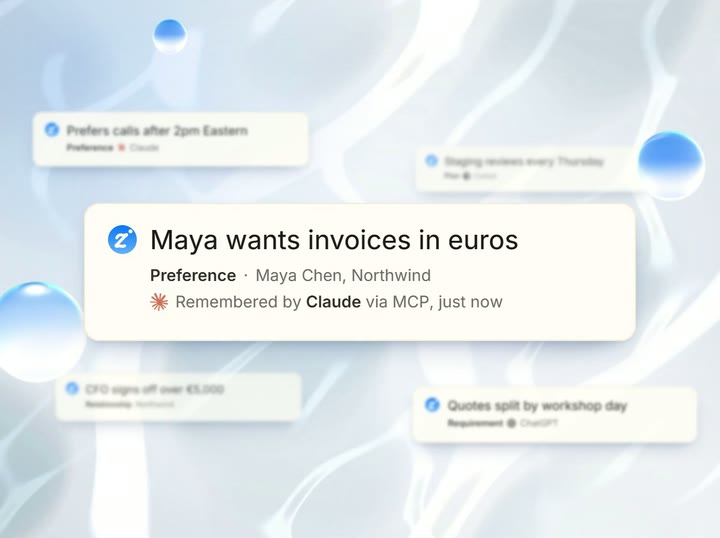
Zyflow is a lightweight small-business CRM your AI app keeps up to date (Claude, Cursor, ChatGPT Business, any MCP app). Every AI change is labeled.
Customer follow-up software keeps one list of every next step you owe a client (what it is, who owns it and when it’s due) and shows you who’s waiting each morning. Zyflow keeps that list underneath the AI you already use: tell Claude what happened after a call, and Claude sets the follow-up on the right customer.
How do you keep track of client follow-ups?
Keep five things for every client: the last real conversation, the next step, who owns it, the date it’s due and a short note. Then check one list of what’s due or overdue every morning. Many owners keep this in chat threads, their head or a spreadsheet they update on Fridays, and that’s where follow-ups get lost. One missed callback can cost a whole job.
What to look for in customer follow-up software
- Sets a follow-up from one sentence, on the right customer.
- Reads dates in your time zone and shows you the date it saved.
- Gives you one list of what’s due and overdue, every morning.
- Keeps money owed in the same place as your follow-ups.
- Labels every AI change and lets you undo it.1
The usual fix is CRM homework: retyping the call into forms after it’s over. It’s admin with no payoff that day, so it waits for Friday. A client follow-up system only sticks if updating it is quicker than the Friday spreadsheet.
Who should I follow up with today?
Open Today, or ask your AI “What’s on my plate today?”, and you get the same ranked list. Overdue follow-ups come first, the longest overdue at the top. Then come missed payment promises and overdue invoices, what’s due today in time order, and birthdays and anniversaries. Zyflow sorts the list by fixed rules, in your time zone, so you start at the top and work down.
Do today, in order
- What shows: Overdue follow-ups Rule: Oldest first
- What shows: Missed payment promises and overdue invoices Rule: A promise date has passed, or an invoice is past due
- What shows: Due today Rule: In time order, timed items before untimed ones
- What shows: Birthdays and anniversaries Rule: Contacts only, on the day, with a ready WhatsApp wish
Today shows the first 6 rows, with Show all below them.
The other cards on Today
-
Money
Total owed (money owed plus unpaid invoices), how much is overdue, and what’s come in since the start of the month
-
Pipeline
Open deals, what closes this month, and deals stuck for 14+ days with no stage change
-
Gone quiet
Up to 5 customers or prospects you haven’t been in touch with for 30+ days, most valuable first
-
“What your AI did”
Each AI app’s changes in the last 24 hours
The calendar on Today puts a dot on each day with a follow-up, and asking your AI “What’s due this week?” gets you the next 7 days. The Tasks page sorts every follow-up into Overdue, Today, Next 7 days, Later and No date, with the logo of the AI app that made each one.
Free plan. No card.
Start freeSet a follow-up in one sentence to your AI
After the call, tell your AI: “Had a call with Maya at Northwind. She wants the revised quote by Friday.” Maya is already a customer, so your AI logs the call on her record and sets the follow-up in the same step. Zyflow works out which Friday that is in your time zone and sends the date back, so your AI can read it to you: Fri, 9 Oct.
The follow-up is filed on Maya and Northwind, and on the deal if you name one. A few other cases:
- If the customer is new, your AI saves them first, as a separate change.
- “Remind me to call Sam Ortiz next Tuesday at 5pm” sets a follow-up without logging a call.
- To reschedule, complete, cancel, reopen or reassign a follow-up, say so.
- If your AI sends the same open follow-up twice, for the same customer and day, Zyflow keeps the one already there.
Zyflow works with any AI app that supports MCP, the standard way AI apps connect to tools. That includes Claude, ChatGPT,2 Claude Code and Cursor. Paste one link, then sign in and approve. It takes about two minutes. For the technical side, see the CRM MCP server page.
See the setup guidesAct on each row in one tap
Every row in Do today has four buttons, and each tap shows an Undo.1
-
Call
Opens your phone with the number ready.
-
WhatsApp
Opens the chat with a message already typed, in English.
-
Snooze
Moves it to tomorrow, next week or a date you pick. On a payment row, it moves the promise date. Issued invoices can’t be snoozed.
-
Done
Clears it. On a payment row it says Paid and records the payment in full.
The Email button on a customer’s page opens your own email app. Want the words first? Ask your AI to draft a follow-up to Maya from your last conversation. AI apps that support MCP prompts also offer a ready-made one from Zyflow.
Zyflow sends nothing to your customers. Your AI drafts; you press send.
Follow-up reminders in your inbox at 8am
Each morning at 8am in your time zone, Zyflow sends you an email with your overdue and due-today follow-ups, payments to chase and birthday wishes, plus a link to Today. It comes only on days with something to do, and each person on the team gets their own.
Each section lists up to 10 items, then a count of the rest. Stuck deals and customers who’ve gone quiet stay on Today and in your AI. Each person can switch off their own email.
Money owed: who promised to pay, and when
Tell your AI: “Northwind owes $4,800 and will pay by the 15th.” Zyflow records the balance and the promise date, and keeps one collection reminder for Northwind. If the 15th passes without a payment, it shows as a missed promise near the top of the morning list. Once you or your AI record the full payment, the reminder closes itself.
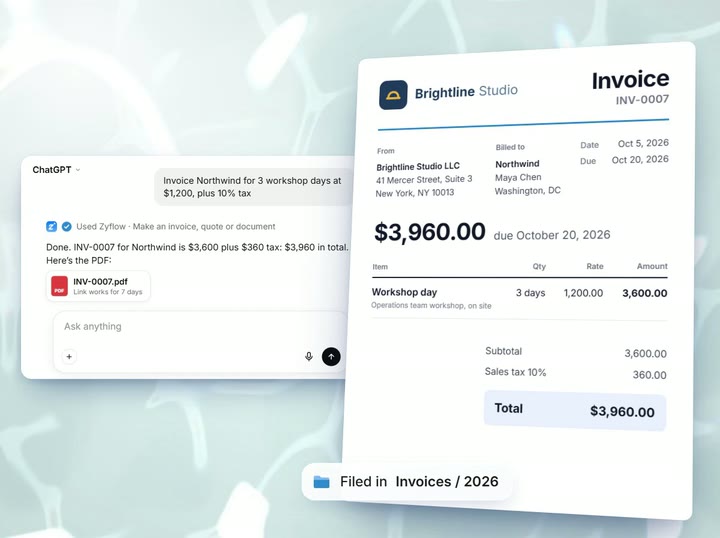
A part-payment lowers the balance, and the reminder updates to match. Unpaid invoices add to the same total owed. Make your invoices and quotes in Zyflow too, and you track and chase both in one place.
Zyflow records payments; it doesn't collect them, and there are no card payment links. A reminder needs a promise date. Each customer has one running balance, in your business's currency.
Follow-ups for a team
Two people chasing the same client on the same day looks careless. Give each follow-up an owner by telling your AI: “Give the Kestrel follow-up to Dana.” Each person can filter the Tasks page to Assigned to me and gets their own 8am email. Owners and admins also get every payment to chase in theirs. Every change is labeled by app and person, such as “Claude for Dana”, so you can see who did what.
Every member, and every member's AI, can see and edit every customer. There are no per-person permissions yet.
Limits to know before you start
- Reminders show on Today, in your AI and in the 8am email. Nothing is pushed to your phone.
- There are no recurring follow-ups yet. When you finish one, tell your AI when the next one is due.
- Zyflow reads dates in English, such as “next Friday 5pm”, “end of month” or “in 3 months”. Weeks run Monday to Sunday, and typed numeric dates are read month-first only in US workspaces.
- Zyflow doesn’t read your inbox, calendar, calls or WhatsApp. Tell your AI, or paste the thread.
- You can’t change the 14-day stuck-deal rule, the 30-day gone-quiet rule or the 8am email time.
- Zyflow sends no sequences and no automatic follow-ups.
- There’s no native app. Zyflow works in your phone’s browser and can be added to your home screen.
Not a fit if...
Zyflow isn’t a fit yet if you need:
- email or calendar sync, sequences, campaigns, dialers or forecasting
- dispatch, booking or texting for trades and field service
- a home for regulated data, such as patient records
- property listings and showings for real-estate work
- a WhatsApp inbox
- card payment collection or e-signature
- SSO, two-factor sign-in or per-person permissions
- certifications such as SOC 2, or EU data residency
- a native mobile app, or a language other than English
- more than 30 people
It’s also not for you if you don’t use an AI app and don’t plan to.
Prompts to try
Copy one into Claude or any AI app you’ve connected.
-
“What’s on my plate today?”
-
“Had a call with Maya at Northwind. She wants the revised quote by Friday.”
-
“Remind me to call Sam Ortiz next Tuesday at 5pm.”
-
“Which follow-ups are overdue?”
-
“Northwind owes $4,800 and will pay by the 15th.”
-
“Which clients have gone quiet?”
-
“Push the Halden follow-up to next Monday.”
-
“Draft a follow-up to Maya about the revised quote.”
Questions about follow-ups and the morning list
What’s the difference between a CRM and a follow-up system?
A follow-up system is the habit and the list: every conversation ends with a next step and a date, and you check what’s due each morning. A CRM is where that list lives, next to each client’s history, deals and what they owe.
Do I need software to follow up with clients?
Not always. If you work alone with fewer than about 30 clients, a list you check each morning can work. Owners in public threads say it breaks at about 30 to 40 clients, or once more than two people work the list. Money to chase strains it too, because someone has to track who promised to pay and when.
Will I get a reminder on my phone?
Not as a push notification. Reminders show on Today, in your AI and in the 8am email. Today works in your phone’s browser, and you can add it to your home screen. There’s no native app.
Can Zyflow send the follow-up for me?
No. Zyflow sends nothing to your customers; your AI drafts and you press send. The WhatsApp button opens the chat with the text typed, and you send it. Want follow-ups sent automatically on a schedule? Tools built for sequences, such as Keap and AllClients, fit better (checked Oct 3, 2026).
Can I set recurring follow-ups?
Not yet. When you finish one, tell your AI when the next is due: “Done. Follow up with Maya again in 3 months.” The Gone quiet card on Today also lists up to 5 customers you haven’t been in touch with for 30+ days.
What if my AI gets the date or the client wrong?
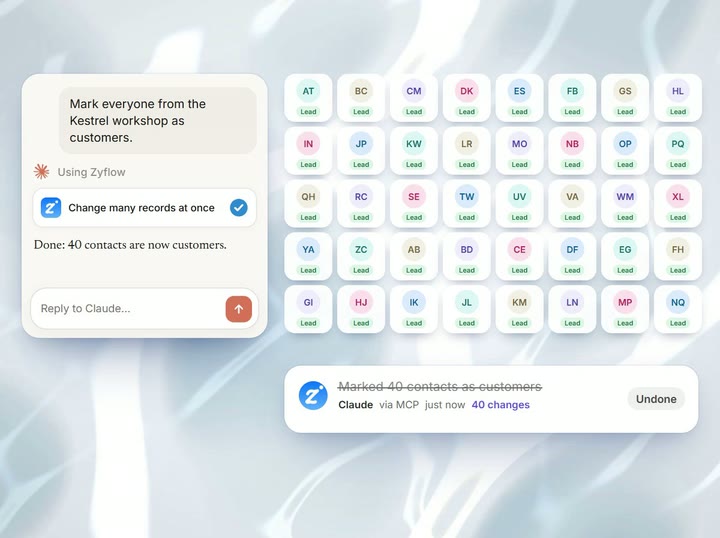
Zyflow sends back the date it saved, for your AI to read to you (“Fri, 9 Oct”). When a name could mean two people, your AI asks which one you mean. Every change is labeled with the app that made it, and one click undoes it.1
Does it work with ChatGPT?
Yes, on Business, Enterprise or Edu plans in developer mode.2 Claude works on every plan, and there are setup guides for Claude Code, Cursor, VS Code, Gemini CLI and Windsurf. See the Claude CRM and ChatGPT CRM pages.
What does it cost?
Follow-ups, the morning list, the 8am email and money owed are on every plan, including Free, and follow-ups don’t count toward your records. Free is for one person. Solo covers up to 3 people for $12 a month ($10 billed yearly), Team up to 10 for $30 ($25 billed yearly) and Pro up to 30 for $90 ($75 billed yearly). One price for the whole team, and your AI’s calls are never billed. Prices in US$.
How is this different from follow-ups in HubSpot or OnePageCRM?
Both connect to Claude. OnePageCRM’s connector logs calls and sets follow-ups on all its plans. OnePageCRM also has two-way email sync and reminder notifications, which Zyflow doesn’t (checked Oct 3, 2026). HubSpot Free covers 2 users and 1,000 contacts, and every HubSpot account, Free included, has had a remote MCP server since April 13, 2026 (checked Oct 2, 2026). Where Zyflow differs: payment promises in the same morning list, a label and an Undo on each AI change,1 invoices on every plan and one price for the whole team. If your day runs through your inbox, OnePageCRM may suit you better.
We check every competitor fact against the vendor’s own page and date it. Where a competitor does something better, we say so. Spot an error? Tell us, and we’ll fix it.
- 1 Undo works within your plan’s history window: 30 days on Free, up to 3 years on paid plans. Deleted items can be restored for 30 days on every plan. Settings changes, such as pipelines, custom fields and tag renames, are logged but can’t be undone.
- 2 Writing to Zyflow from ChatGPT needs developer mode on a ChatGPT Business, Enterprise or Edu plan. It’s in beta, on the web, and an admin switches it on. Claude works on every plan. Checked October 2026.
- 3 Export gives you six CSV files, or one JSON file with your records, documents, change history (up to 100,000 changes) and links to every file. File contents download separately from Files.
Sources: US Chamber of Commerce small-business AI report (October 2026) · OnePageCRM changelog (Claude and ChatGPT MCPs) and pricing (onepagecrm.com) · HubSpot CRM and developer changelog, remote MCP server GA (Apr 13, 2026) · keap.com · allclients.com. Checked Oct 2–3, 2026. Last updated Oct 3, 2026
Your AI talks. Zyflow remembers.
Tell your AI what happened. Zyflow keeps the record.
If your AI gets something wrong, undo it.1 If Zyflow isn’t for you, export your records, documents and history.3
Free plan. No card. Connect your AI in about two minutes.