Ask.
When a name could mean two people, Zyflow sends ChatGPT the candidates and what tells them apart, and ChatGPT asks you which one you mean.
Zyflow for ChatGPT
Tell ChatGPT what happened with a client. Zyflow files it on the right customer, labels the change with the app that made it, and puts the follow-up on your morning list the day it’s due.
Zyflow is a lightweight small-business CRM your AI app keeps up to date (Claude, Cursor, ChatGPT Business, any MCP app). Every AI change is labeled.
On ChatGPT Plus or Free? Claude works on every plan, including Claude Free.
Free plan. No card.
| ChatGPT plan | Reads and writes your records | Who switches it on |
|---|---|---|
| Business | Yes | An admin. If you’re the only person on the workspace, that’s you |
| Enterprise | Yes | Your admin, who chooses who gets access |
| Edu | Yes | Your admin, who chooses who gets access |
| Plus, Pro, Go, Free | Not supported for writes today | Use Claude instead, on any Claude plan |
Custom connections run in ChatGPT on the web, in beta. OpenAI changes these rules often, so we re-check them every month.
Writing to Zyflow from ChatGPT is supported on Business, Enterprise and Edu plans today. On Plus, Pro, Go or Free, use Zyflow with Claude instead: it works on every Claude plan, including Claude Free, which allows one custom connector. If you move to ChatGPT Business later, connect it to the same workspace and your records stay where they are.
A ChatGPT CRM is a customer database that ChatGPT can read and update while you chat. You tell ChatGPT what happened with a client, and the CRM keeps it on that client’s record: the call, the follow-up, the money owed. Next week, ChatGPT answers from that record instead of from chat memory.
A chatbot is a tool, not a system of record. ChatGPT does the talking; a CRM for ChatGPT is where the facts stay put. Owners already hand AI this job: 31% of US small businesses that use AI use it to manage customer relationships (US Chamber of Commerce, October 2026).
Zyflow works with any AI app that supports MCP, the standard way AI apps connect to tools. Claude and Cursor read the same records ChatGPT does.
For example:
Trying ChatGPT on its own first? Read how to use ChatGPT as a CRM, and where chat memory runs out.
ChatGPT can read and change customer records in the one Zyflow workspace you approve. It never gets your password, billing, members, API keys or connections. Disconnect it on the Connect page and every token it holds stops working at once.
If data security is your worry, it’s a common one: in a vendor survey, half of small-business owners named it as their biggest hesitation about AI (Anthropic, May 2026). The other limits on ChatGPT:
Zyflow has built-in defenses against prompt injection: hidden characters are stripped, and file text reaches ChatGPT labeled as customer data, not instructions. These are mitigations, not guarantees.
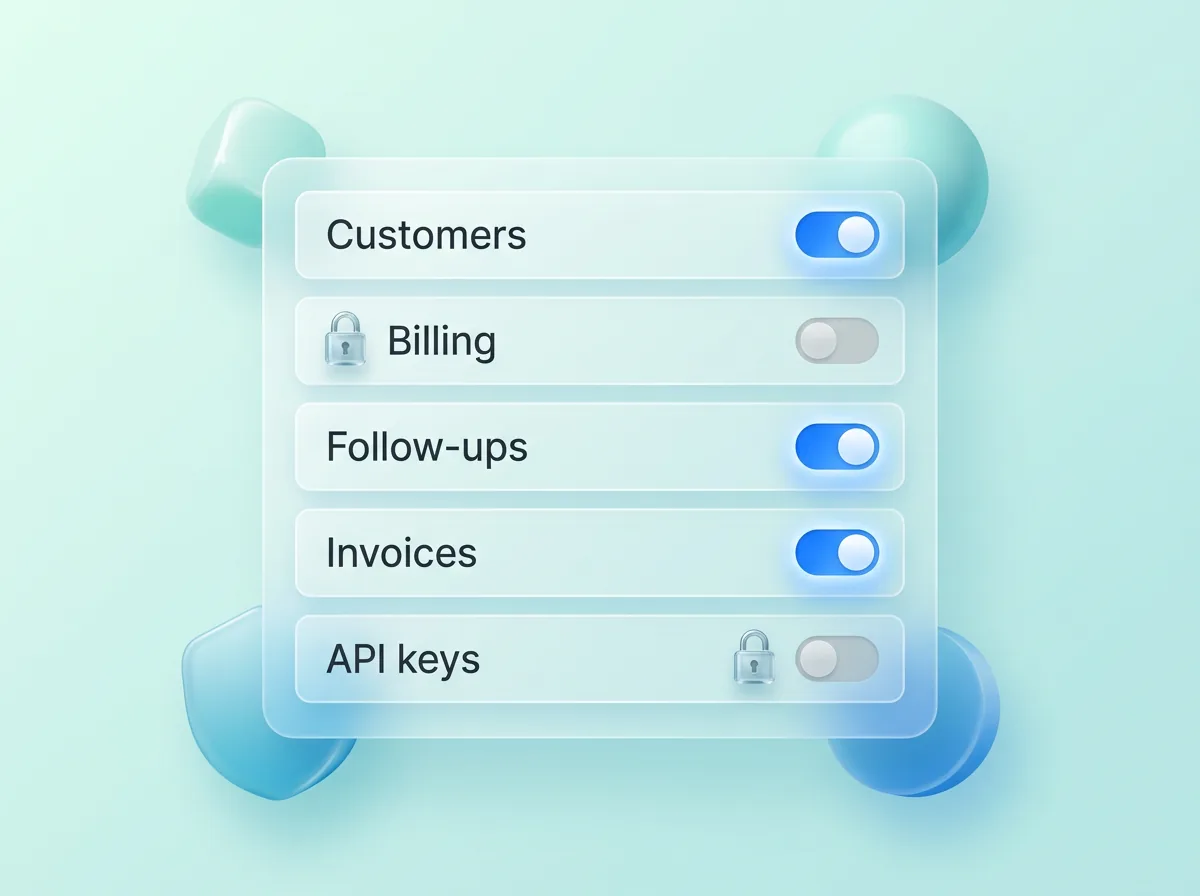
Four guardrails sit on every AI write: Ask. Match. Label. Undo.
When a name could mean two people, Zyflow sends ChatGPT the candidates and what tells them apart, and ChatGPT asks you which one you mean.
Saves land on the record you already have, not a new copy. Similar names are flagged, never merged automatically.
Every change carries the name of the app that made it, so you can see what ChatGPT did and what you did.
Each thing ChatGPT does is one change, and one click undoes it, even 40 contacts edited at once.1
Your AI will get things wrong sometimes. Plan for that.
On a ChatGPT plan that can write, connecting takes 3 steps: add your Zyflow link to ChatGPT, sign in and approve one workspace, then talk.
In ChatGPT on the web, turn on developer mode (Settings > Security and login), then create an app on the Plugins page with the + button. Choose OAuth for sign-in and paste your Zyflow link.2
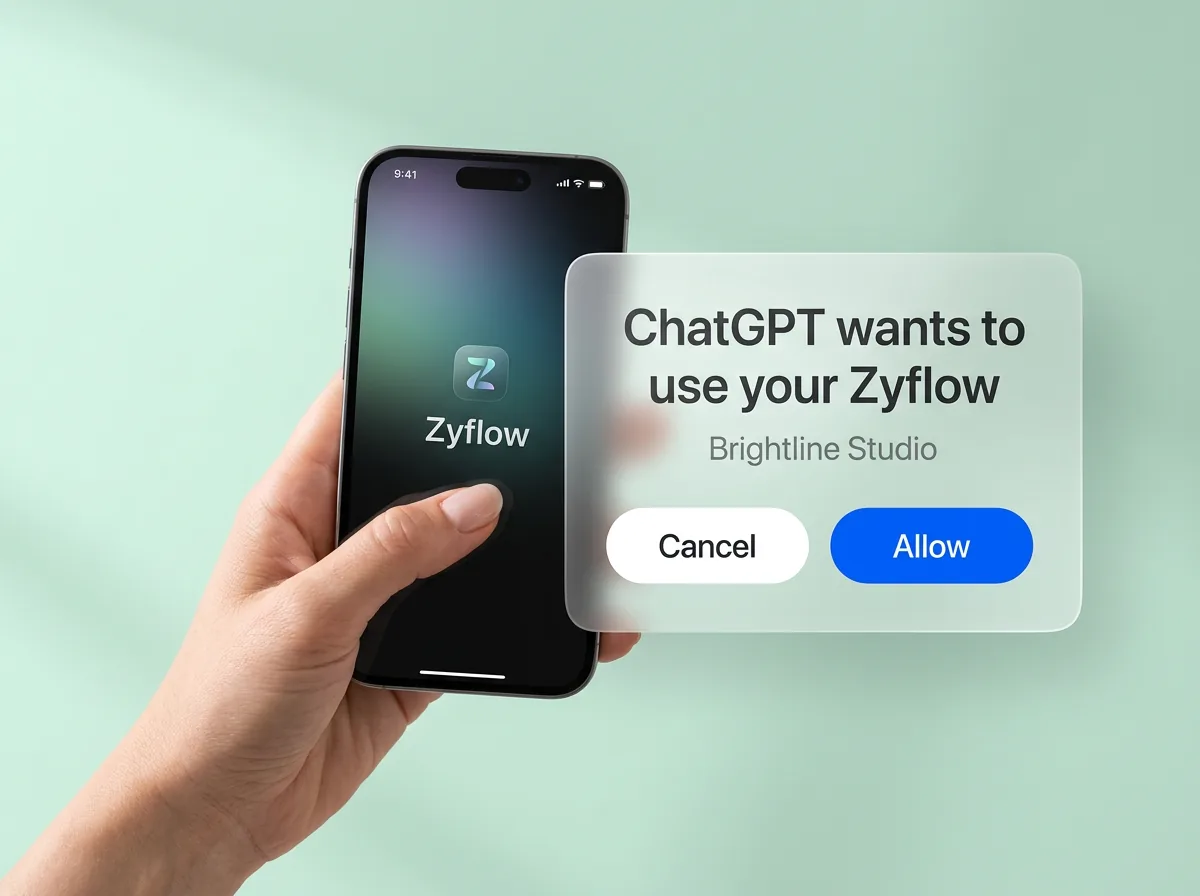
Sign in, or create your free account, and choose the one workspace ChatGPT may use. It works like “Sign in with Google”: you never paste a password into ChatGPT.
Tell ChatGPT what happened: “Had a call with Maya at Northwind. She wants the revised quote by Friday.” ChatGPT logs the call and sets the follow-up on the customer you already have, then reads back the date: Fri, 9 Oct. The change shows up labeled, with an Undo.1
On ChatGPT Business, an admin switches this on first. If you’re the only person on the workspace, that’s you.
Under the hood, Zyflow is a CRM MCP server, so the same link works in any MCP app.
Not the admin? Copy this and send it to them. (Copy button)
Hi, I’d like to connect Zyflow, where we keep our customer records, to ChatGPT as a custom app in developer mode. Server URL: https://app.zyflowcrm.com/mcp. It signs in with OAuth and can read and write only the one Zyflow workspace I approve. Zyflow gets only what ChatGPT sends it, not our chats. Every change is labeled with the app that made it, and I can disconnect it any time. Details: https://zyflowcrm.com/security
Free plan. No card.
Yes. Zyflow’s Free plan works with ChatGPT, but writing needs ChatGPT Business, Enterprise or Edu in developer mode. On ChatGPT Free or Plus, use Claude Free.
Zyflow Free is $0 for one person, with no card and no time limit, and ChatGPT’s calls to Zyflow are never billed. It holds 5,000 contacts, companies and deals, and it has every feature we offer today, including invoices, quotes, files and memory.
If you need two people on a free plan, HubSpot Free also connects to ChatGPT and covers 2 users and 1,000 contacts (checked Oct 2, 2026).
ChatGPT can add clients, log calls and follow-ups, record what’s owed, make quotes and invoices, read you the day’s list and undo its own changes. Run these six prompts in order. They work even in an empty workspace.
Add Maya Chen at Northwind as a client. Her email is maya@northwind.example.
What happens ChatGPT saves Maya Chen at Northwind. If she’s already there, Zyflow adds to her existing record instead of making a copy.
Had a call with Maya. She wants the revised quote by Friday.
What happens ChatGPT logs the call and the follow-up in one change and reads back the date, for example Fri, 9 Oct.
Northwind owes $4,800 and will pay by the 15th.
What happens Zyflow records the balance, the promise date and one collection reminder that closes itself once the payment is recorded.
Quote Northwind for 3 workshop days at $1,200, plus 10% tax.
What happens Zyflow numbers the quote and adds the tax, for $3,960 in total. It makes the PDF, files it under Northwind and gives you a link that works for 7 days.
What’s on my plate today?
What happens ChatGPT reads you today’s list: overdue follow-ups, payments to chase and what’s due.
Undo what you just did.
What happens ChatGPT undoes its last change.1 You can undo the undo, too.
Zyflow works out totals, tax and numbering. Unit prices come from what you or ChatGPT enter; there’s no price list.
Facts about a client work the same way. Tell ChatGPT “Maya prefers calls before 10am” and Zyflow keeps it on her record for next time.
Zyflow keeps the list while ChatGPT is closed. Each morning, Today ranks who to call and who to chase for money, and the 8am email brings your follow-ups, payments to chase and birthdays to your inbox. When a client pays and the payment is recorded, their collection reminder closes itself.
Today also flags deals stuck for 14 days and clients quiet for 30, and its “What your AI did” card lists the last 24 hours of changes by app, each with an Undo.
Reminders show on Today, in your AI and in the 8am email. Nothing is pushed to your phone.
HubSpot, Attio, Close and Zoho are all CRMs that work with ChatGPT, and HubSpot’s plugin is in ChatGPT’s directory today while Zyflow’s isn’t (checked Oct 2–3, 2026). The differences show up in four places: what happens when ChatGPT writes, what the record holds, what it costs and which AI apps can use it.
Zyflow has ChatGPT ask when a name could mean two people, saves land on the record you already have, and each change is labeled with the app that made it, with an Undo.1
Money owed, invoices, quotes and a files drive sit on the same customer as the calls and follow-ups, on every plan, Free included. So ChatGPT can check what Northwind owes and make the invoice in the same chat.
Zyflow runs no AI, so there’s nothing to meter: ChatGPT’s calls are never billed and there are no AI credits. One price covers the whole team: Team is $30 a month for up to 10 people. Prices in US$.
One link works in ChatGPT, Claude, Cursor and any MCP app, and they all read the same record, so you can switch apps without moving anything.
We check every competitor fact against the vendor’s own page and date it. Where a competitor does something better, we say so. Spot an error? Tell us, and we’ll fix it.
Zyflow isn’t a fit yet if you need email or calendar sync, card payment collection, SSO or two-factor sign-in, a home for regulated data such as patient records, or more than 30 people. It’s also not a fit if you’re on ChatGPT Free or Plus and don’t want to use Claude or the web app.
Zyflow doesn’t read your inbox, calendar, calls or WhatsApp. Tell your AI, or paste the thread, and your AI files it after showing you what it found.
ChatGPT Business, Enterprise or Edu, if you want ChatGPT to write. Custom connections run on the web, in beta, and an admin switches them on. On other plans, use Zyflow with Claude, which works on every Claude plan. Checked October 2026.
Today it's a custom connection: you add your Zyflow link to ChatGPT yourself, then sign in and approve. Zyflow isn’t in ChatGPT’s plugin directory yet.
Only the one workspace you approve, with your role. It never gets your password, billing, members or API keys, and you can disconnect it in one click.
Yes. Each thing ChatGPT does is one change, labeled with the app that made it, and one click undoes it, even 40 contacts edited at once.1 ChatGPT can only move things to the 30-day trash, and issued invoices can only be voided.
No. Zyflow runs no AI model and doesn’t train one on your data. Zyflow receives only what ChatGPT sends in its tool calls, not the rest of your chat. What ChatGPT does with what it reads is covered by OpenAI’s terms and your ChatGPT data settings.
No. Zyflow runs no AI, ChatGPT’s calls to Zyflow are never billed, and there are no AI credits. Your ChatGPT subscription and its own usage limits still apply.
On ChatGPT Business, yes. If you’re the only person on the workspace, that’s you. On Enterprise and Edu, admins choose who gets access. Send your admin the note above.
Custom connections run in ChatGPT on the web today (checked October 2026). On your phone, Zyflow’s own web app works in the browser and can be added to your home screen.
Because ChatGPT memory isn’t a client list. It belongs to your account and doesn’t track who’s waiting, who owes you or what you quoted. Zyflow keeps each client as a record that every AI app you connect, and every teammate, can see. The guide to using ChatGPT as a CRM covers where memory stops.
Last updated Oct 3, 2026
If ChatGPT gets something wrong, undo it.1 If Zyflow isn’t for you, export your records, documents and history.3
On ChatGPT Plus or Free? Claude works on every plan, including Claude Free.
Free plan. No card. Writing needs developer mode on Business, Enterprise or Edu.2