Before you start:
- Gemini CLI, up to date. Since June 18, 2026, Google requires a paid Gemini API key or a Gemini Code Assist Standard or Enterprise license to use it. Free use and Google AI Pro or Ultra subscriptions no longer include it.3
- A browser on the same computer. Working over SSH, on a server or in a container? Use an API key.
- A free Zyflow account. Create it first, so the browser step only asks you to log in.
Add Zyflow to Gemini CLI’s settings.json
Open ~/.gemini/settings.json (create it if it doesn’t exist) and add Zyflow under mcpServers with the httpUrl key. Nothing secret goes in this file; signing in comes next.
{
  "mcpServers": {
    "zyflow": {
      "httpUrl": "https://app.zyflowcrm.com/mcp"
    }
  }
}- If the file already has settings, put the zyflow entry inside your existing mcpServers object and check that the JSON is still valid.
- If you rename the entry, leave out underscores. Gemini CLI names tools mcp_{server}_{tool} and splits the name at the first underscore.
httpUrl is for servers that use Streamable HTTP, the current MCP transport. url is for older Server-Sent Events (SSE) servers. Zyflow uses Streamable HTTP, so use httpUrl.
Gemini CLI’s MCP server reference (updated Sep 2, 2026) documents every Gemini CLI setting on this page.
Or add it with one command
gemini mcp add --transport http --scope user zyflow https://app.zyflowcrm.com/mcpKeep both flags. Without --transport http, the command treats the URL as a local program. Without --scope user, Zyflow works in the current project only.
User or project settings?
~/.gemini/settings.json applies in every folder. A .gemini/settings.json file inside a project applies only in that project. On Windows, the user file is %USERPROFILE%\.gemini\settings.json.
Sign in with /mcp auth zyflow
Run /mcp auth zyflow inside Gemini CLI, then approve the connection in your browser. You pick one workspace, and you never paste a password or key into Gemini CLI.
-
Start Gemini CLI and run /mcp auth zyflow.
-
Your browser opens on Zyflow.
-
Log in to Zyflow.
-
Choose the one workspace Gemini CLI may use.
-
Approve, then go back to the terminal.
Finish approving within 10 minutes, or run /mcp auth zyflow again.
What happens behind the scenes
When Gemini CLI first calls Zyflow, it gets a 401 that points it to Zyflow’s sign-in. Gemini CLI registers itself as a client and listens for the callback on a random localhost port; Zyflow accepts any loopback port. Sign-in uses OAuth 2.1 with PKCE, and Zyflow returns the iss value that recent Gemini CLI versions check. The token works for that one workspace only, and Gemini CLI keeps it in ~/.gemini/mcp-oauth-tokens.json. Access tokens last 60 minutes and Gemini CLI refreshes them on its own. Refresh tokens rotate on every use and last 90 days.
Check the connection
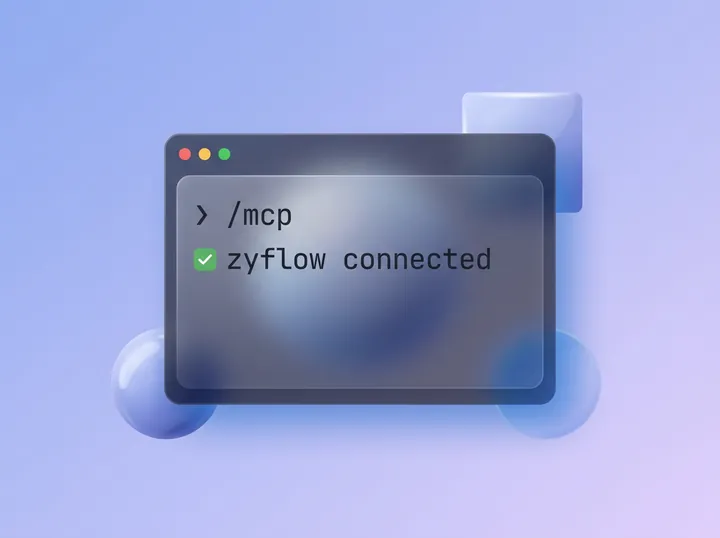
Run /mcp list inside Gemini CLI, or gemini mcp list in your shell. The zyflow entry should show as Connected, with its tools listed.
Free plan. No card.
Use Zyflow from Gemini CLI
Talk to Gemini CLI the way you’d brief a colleague. It picks which Zyflow tools to call, and Zyflow, which runs no AI of its own, keeps the record. Try these first:
- Add Maya Chen at Northwind as a customer. Her email is maya@northwind.example.
- Had a call with Maya at Northwind. She wants the revised quote by Friday.
- What do we know about Northwind?
- What’s on my plate today?
- Undo that.
After the second prompt, Gemini CLI logs the call on Maya’s record, sets the follow-up and reads back the date: Fri, 9 Oct. If you have two Sams and say “Had a call with Sam,” Zyflow sends Gemini CLI both (Sam Ortiz at Halden and Sam Lee at Fieldhouse) with what tells them apart. Gemini CLI then asks you which one you mean.4
Keep the final say on changes
Your AI will get things wrong sometimes. Plan for that. Gemini CLI asks before each tool call unless “trust” is on for the server. Keep that confirmation for anything that changes records: choose “Always allow this tool” only for lookups such as get_customer and search, and leave trust off for Zyflow. In Zyflow, each change shows the app that made it, with an Undo,1 and AI apps can only move things to the 30-day trash.
To block deletes, merges and bulk edits from Gemini CLI, add this inside the zyflow entry:
"excludeTools": ["delete_record", "delete_files", "merge_records", "bulk_update"]Slash commands and Notes for your AI
Zyflow’s 5 prompts appear in Gemini CLI as slash commands: /daily_briefing, /prepare_meeting, /log_conversation, /draft_follow_up and /find_duplicates. Before a call, /prepare_meeting --customer=”Northwind” has Gemini CLI pull up the record and suggest three talking points.
Notes for your AI (your standing instructions in Zyflow) reach Gemini CLI too. Gemini CLI adds each server’s instructions to its own system instructions.5
Use an API key on a server, over SSH or for read-only access
Gemini CLI’s sign-in needs a browser and a localhost callback on the same machine. It doesn’t work in headless sessions, over SSH without X11 forwarding, or in containers. Send a Zyflow API key in a Bearer header instead. A key is also how you give Gemini CLI read-only access.
-
On the Connect page, under API keys, choose New key.
-
Name it after the machine, for example “Gemini CLI on build server.” History shows that name on every change the key makes.
-
Pick Read and write or Read only, then copy the key. Zyflow shows it only once.
-
Add it to the zyflow entry in ~/.gemini/settings.json:
{
  "mcpServers": {
    "zyflow": {
      "httpUrl": "https://app.zyflowcrm.com/mcp",
      "headers": { "Authorization": "Bearer YOUR_ZYFLOW_API_KEY" }
    }
  }
}Or with one command:
gemini mcp add --transport http --scope user -H "Authorization: Bearer YOUR_ZYFLOW_API_KEY" zyflow https://app.zyflowcrm.com/mcpKeep the key in user settings, never in a project file that goes to git. Gemini CLI doesn’t expand variables in headers, so the key sits in the file as plain text. A read-only key can look things up, and Zyflow refuses its writes. Any key, even a read-only one, can read and export the whole workspace. Keys don’t expire; revoke one on the Connect page any time.
The Gemini app isn’t supported yet (Gemini CLI is)
We haven’t tested a custom connection in the Gemini app (gemini.google.com and its phone apps) or in Gemini Enterprise, so this guide has no steps for them yet.3
Want Zyflow in a chat app today? Claude works on every plan, and ChatGPT can write on Business, Enterprise or Edu plans.2
Troubleshooting Gemini CLI MCP connections
Most problems come from one of three things: url in place of httpUrl, the defaults of gemini mcp add, or a sign-in that can’t open a browser. Quoted text in the table is the exact message Zyflow or Gemini CLI shows.
| Symptom | Cause | Fix |
|---|---|---|
| zyflow shows Disconnected after you add it | Not signed in yet | Run /mcp auth zyflow |
| Won’t connect, and the entry uses url | url is for SSE servers | Change url to httpUrl |
| gemini mcp add tried to run the URL as a program | No --transport http, so it used stdio | Remove the entry, then add it again with --transport http |
| Zyflow is missing in other folders | Added to one project only (the default scope) | Remove the entry, then add it again with --scope user |
| No browser opens, or the callback fails | Running over SSH, on a server or in a container | Use an API key |
| “This connection request has expired” | Approving took more than 10 minutes | Run /mcp auth zyflow again |
| Asked to sign in again every hour | A refresh bug in older Gemini CLI versions | Update Gemini CLI, then run /mcp auth zyflow |
| “The access token is invalid, expired or revoked. Reconnect Zyflow.” | Disconnected on the Connect page | Run /mcp auth zyflow |
| “This connection is read-only. Reconnect with write access to change records.” | A read-only key | Use a Read and write key |
| “Too many requests. Slow down and retry shortly.” | A short burst limit | Wait a moment, then retry |
| “MCP issues detected. Run /mcp list for status.” | Gemini CLI found a problem with an MCP server when it started | Run /mcp list and fix the server it flags |
Questions
What does it cost to use Zyflow from Gemini CLI?
What does Zyflow receive from Gemini CLI?
Only what Gemini CLI sends in its tool calls, such as a name to look up or a call to log. Zyflow doesn’t get your code, your files or the rest of the session unless a tool call carries them. Zyflow runs no AI model and doesn’t train one on your data.
How do I disconnect Gemini CLI?
On the Connect page, find it under Connected apps and choose Disconnect. It loses access right away, and your records stay as they are. Then run gemini mcp remove --scope user zyflow to take the zyflow entry out of your settings.
Will Gemini CLI know what I told Claude?
Yes, if it was saved in Zyflow. Facts sit on the customer’s record, and every app connected to that workspace reads the same record. Tell Claude on Monday; Gemini CLI can look it up on Tuesday.
One workspace per connection
You sign in and approve, like “Sign in with Google”. Your AI app never gets your password, and it can’t touch billing, members or keys.
Every AI change labeled
Export any time