Limits by plan
On the Free plan, one person gets 5,000 contacts, companies and deals, 1 GB of file storage with files up to 25 MB, 30 days of history and undo,1 3 API keys, 5 custom fields per record type and 2 pipelines. It includes every feature we offer today, with no card and no time limit. Solo, Team and Pro raise each of these limits, and the features stay the same.
| Limit | Free | Solo | Team | Pro |
|---|---|---|---|---|
| People4 | 1 | Up to 3 | Up to 10 | Up to 30 |
| Records (what counts → #records) | 5,000 | 10,000 | 50,000 | 250,000 |
| File storage, trash included | 1 GB | 10 GB | 50 GB | 250 GB |
| Largest file | 25 MB | 100 MB | 250 MB | 500 MB |
| History shown and undoable | 30 days | 1 year | 2 years | 3 years |
| API keys | 3 | 10 | 50 | 200 |
| Custom fields per record type | 5 | 25 | 100 | 300 |
| Pipelines | 2 | 5 | 10 | 50 |
Prices for Solo, Team and Pro are on the pricing page.
Storage and file sizes use binary units: 1 MB is 1,048,576 bytes and 1 GB is 1,073,741,824 bytes.
Spot an error? Tell us
Same on every plan
- Connections for any AI app that supports MCP, plus the REST API. Which AI plans work?
- AI and API calls never billed, with no AI credits3
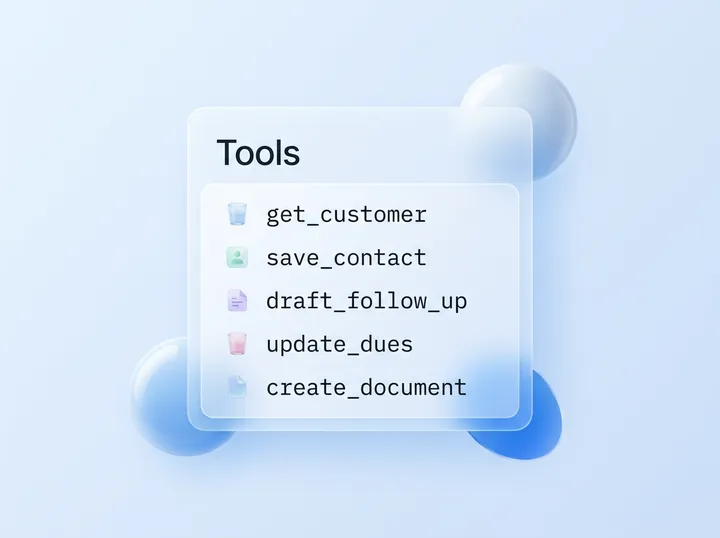
- All 32 MCP tools, 5 prompts and 3 resources
- Invoices, quotes and letters, the files drive, memory, follow-ups and money owed
- CSV import and export5
- The 30-day trash
- The same burst limits
Free plan. No card.
What counts as a record?
Records are contacts, companies and deals. Notes, calls, memories, follow-ups, files, invoices and quotes don’t count, and neither does anything in the trash. Importing contacts with a company column also creates those companies, so a 2,000-row sheet can use 3,000 or more records.
On Free, 2,500 contacts at 2,500 different companies fill all 5,000 records.
The record meter is under Settings > Plan and usage.
What happens when you reach a limit?
Nothing is deleted when you reach a limit. At the record limit, you and your AI can still read, edit, search and export, but new contacts, companies and deals are refused until you make room. When storage is full, new uploads stop, files stay viewable and downloadable, and emptying the trash frees space, because the trash counts.
| Limit | What still works | What’s refused | Error code |
|---|---|---|---|
| Records | Reading, editing, search and export; notes and calls on customers you have | New contacts, companies and deals | record_limit (402) |
| People, pending invitations included | Everyone already in | New invitations | member_limit (402) |
| Storage | Viewing and downloading files. New invoices and quotes save; their PDF waits for room | New uploads | storage_full (413) |
| Largest file (10 MB through an AI connection) | Smaller files | That file | file_too_large (413) |
| API keys, custom fields, pipelines | The ones you have | One more | api_key_limit, field_limit, pipeline_limit (402) |
| Templates (200) | Your templates | A new one | template_limit (409) |
| Workspaces you own (10) | Your workspaces | An 11th | workspace_limit (409) |
| Burst limit | The same call, after the wait | Calls until the wait ends | rate_limited (429, Retry-After) |
Meters under Settings > Plan and usage turn amber at 80%. To make room, delete or merge what you don’t need: deleted records stop counting at once, and deleted files count until you empty the trash. For more room, move to a paid plan on the pricing page.
How big a file can your AI send or read?
Your AI can save a file of up to 10 MB through Zyflow, on every plan. Through Zyflow, your AI can see images up to 5 MB and text files up to 1 MB. It can’t read the text inside PDFs, Word or Excel files. For a bigger file, your AI gives you an upload link and you add it in Zyflow, up to your plan’s largest file.
| What your AI does | Tool | Limit |
|---|---|---|
| Save a file | save_file | 10 MB |
| See an image (PNG, JPEG, GIF, WebP, AVIF) | get_file | 5 MB |
| Read a text file (.txt, .md, .csv, .json, .xml, .log) | get_file | 1 MB |
| Get any other file | get_file | A 7-day download link |
| Move, rename, describe, star or link files | organize_files | 50 files a call |
| Delete files | delete_files | 50 files a call, into the 30-day trash |
| Hand off a bigger file | upload_link | Your plan’s largest file, added by you while signed in |
| Make folders | create_folder | 10 levels deep, 2,000 per workspace |
“Any other file” includes images over 5 MB and text over 1 MB. The link is new on every call and works without sign-in.
Bulk changes and merges
Your AI can change up to 200 records in one bulk edit. By default Zyflow returns a preview first, and the whole edit is one change that one click undoes.1 Your AI can merge up to 10 duplicate people or businesses into the record you keep. Deals can’t be merged.
Merges don’t move files or documents. In the web app, bulk actions cover tags and lifecycle stage only.
How much can you import at once?
Zyflow imports a CSV of up to 50,000 rows and 10 MB at a time, as contacts or as companies. Each contact row can carry 2 emails and 2 phones. Rows that match more than one existing record are skipped and listed, and the whole import is one change you can undo.1
- CSV only, from any spreadsheet or CRM export (no .xlsx or vCard).
- Contacts or companies, not deals. Company rows take 1 email and 1 phone.
- Up to 200 row errors are listed.
- Every imported row that adds a record counts toward your records.
MCP and REST API limits
Each MCP request can be up to 16 MB, with one message per request. Most write tools take an optional idempotency key that Zyflow honors for 24 hours, so a retried call with the same key isn’t applied twice. The same key with different arguments is refused. Idempotency keys work over MCP only, not the REST API.
| Limit | Value |
|---|---|
| MCP request size | 16 MB, one JSON-RPC message per POST, no batching |
| Idempotency keys | 24 hours, MCP only. A reused key with new arguments gets idempotency_key_reused (409) |
| list_records | 100 per page, 20 by default |
| search over MCP | 10 matches |
| REST lists | 200 per page |
| REST search | 50 matches |
| API keys | By plan; read-only keys available; keys don’t expire |
| Connections | One workspace per connection |
| Sign-in | Access tokens 60 minutes; refresh tokens 90 days, rotated on each use; a connection request must be approved within 10 minutes |
Limits on fields, notes and memory
A contact or company holds up to 10 emails, 10 phones and 30 tags. Your AI can save up to 20 facts in one call, and a note or call log can run to 20,000 characters.
| What | Limit |
|---|---|
| Emails and phones per contact or company | 10 each |
| Tags per contact or company | 30, of up to 40 characters |
| Custom field types | 9; select fields take up to 100 options |
| Stages per pipeline | 20 |
| Facts per remember call | 20, of up to 1,000 characters |
| Notes and call logs | 20,000 characters; longer text is cut |
| Follow-up descriptions | 4,000 characters |
| Notes for your AI | 2,000 characters stored, about 1,500 sent at connect6 |
| Workspaces per login | 10 |
Documents and templates
Each invoice, quote or letter can have up to 200 lines. Its PDF link works without sign-in for 7 days. Links can’t be revoked one by one, and anyone with the link can open the file. A workspace can keep up to 200 custom templates of up to 200,000 bytes each.
- Your AI gets a new 7-day link each time it asks for the document.
- Template fields: up to 40, in 10 types, with 50 options per select.
- Number prefixes: up to 20 characters, with 0 to 8 digits.
- Issued invoices and quotes can be voided, not deleted.
- PDFs count toward storage.
History, undo and the trash
Free shows and undoes the last 30 days of changes. Solo goes back 1 year, Team 2 years and Pro 3 years. Deleted items can be restored from the trash for 30 days on every plan. Settings changes, such as pipelines, custom fields and tag renames, are logged but can’t be undone.
- “What your AI did” on Today covers the last 24 hours, up to 20 batches per app.
- Your AI can only move things to the trash.
- Export includes up to 100,000 changes.5
- Deleting a workspace is immediate and permanent.
Rate limits and fair use
Your AI’s calls to Zyflow are never billed, and there are no AI credits.3 Short burst limits stop runaway scripts. If a call hits one, Zyflow answers with a 429 and a Retry-After header, so your AI or script can wait and try again. We’ll publish the numbers once each connection has its own limit and a daily fair-use ceiling is in place.
Your AI app has its own limits too: Claude Free allows one custom connector, and writing from ChatGPT needs developer mode on Business, Enterprise or Edu.2
Common questions
What does the Zyflow Free plan include?
One person, 5,000 contacts, companies and deals, 1 GB of files and every feature we offer today, with no card and no time limit.
Are my AI’s calls to Zyflow capped or billed?
Never billed, on any plan. Burst limits answer runaway scripts with a 429 and a Retry-After header, and their numbers aren’t published yet.
What happens when I reach my record limit?
Nothing is deleted, and you can still read, edit and export. Only new contacts, companies and deals wait until you make room.
Can my AI read PDFs or spreadsheets through Zyflow?
Not PDFs, Word or Excel files. It can see images up to 5 MB and read text files, CSV included, up to 1 MB.
How many contacts can I import at once?
Up to 50,000 rows and 10 MB per CSV, and every row that adds a contact or company counts toward your records.
Do AI apps or API keys count as people?
No. People are everyone who can sign in, including pending invitations.4 Connecting another AI app never changes your plan.
Does my AI app have its own limits?
Yes, its plan rules and usage limits still apply. ChatGPT, for one, writes only on Business, Enterprise or Edu, in developer mode.2
How do I get higher limits?
Solo, Team and Pro raise people, records, storage and history. There are no add-ons. More than 30 people? Contact us.