A customer database your AI updates on the record you already have
A customer database is one place for everyone you do business with: names, emails and phones, their company, what you’ve discussed and promised, and what they owe. In Zyflow, the AI app you already use keeps it up to date when you tell it what happened. Before adding anyone, Zyflow looks for the customer you already have.
Free plan. No card.
Zyflow is a lightweight small-business CRM your AI app keeps up to date (Claude, Cursor, ChatGPT Business, any MCP app). Every AI change is labeled. Zyflow works with any AI app that supports MCP, the standard way AI apps connect to tools. It’s a customer database for small business owners who already spend the day in an AI app: tell your AI what happened, and Zyflow files it on the right customer.
Your AI’s saves land on the customer you already have
Every save, whether it comes from your AI, the web app or an import, is checked against the customers you already have before anyone new is added. Zyflow looks by email first, then by phone or WhatsApp number, then by the exact name at the same company. An email or phone counts only when the names agree. If they don’t, nothing is saved, and your AI is told whose email or number it is.
- A new email, phone or tag is added to the record you already have.
- Zyflow catches repeats: the same call logged twice within 15 minutes, a near-identical follow-up that’s already open, a fact that’s already saved.
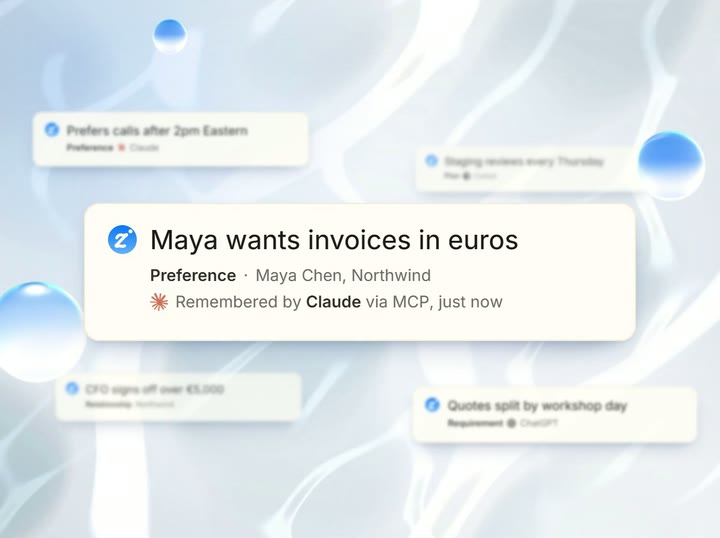
- Every save is labeled with the app that made it (“Added by Claude via MCP”), so a wrong one is easy to find and undo.1 See how undo works.
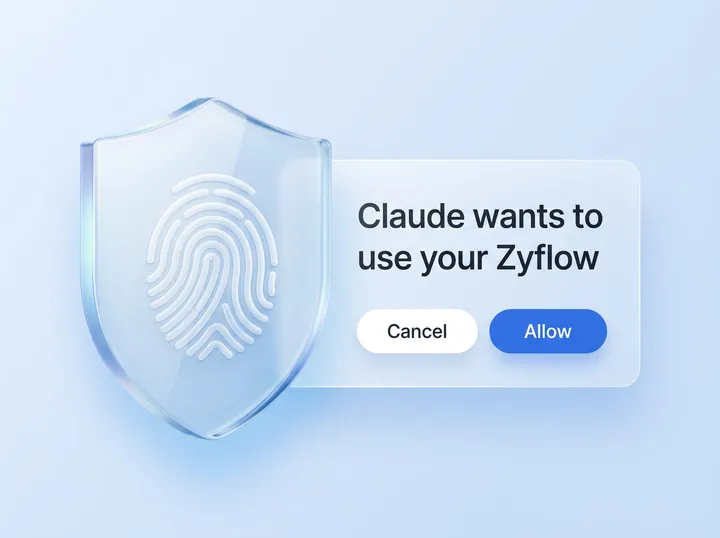
Your AI will get things wrong sometimes. Plan for that. Ask and Match are two of the four guardrails on every AI write: Ask. Match. Label. Undo.
Read the security pageWhat you say, and what Zyflow does
“Maya Chen, maya@northwind.example, is a customer now.”
Finds Maya by her email and sets her stage to Customer.
“Sam Ortiz at Halden has a new number: +1 202 555 0143.”
Finds Sam at Halden and adds the number beside her old one.
“Save Maya Chen, +1 202 555 0143.”
Saves nothing. Your AI is told the number belongs to Sam Ortiz, and to check with you.
“Log a call with Sam.” (you have two)
Saves nothing. Your AI gets both Sams, with what tells them apart, and is told to ask you which one.
“Add Sam Ortis at Halden.” (a typo)
Adds the new name and flags Sam Ortiz as a possible duplicate, not merged. Your AI is told to mention it.
“Halden Ltd has a new website, halden.example.”
Finds the Halden you have and adds the website. Endings such as Ltd, Inc and GmbH are ignored when names are compared.
The web app’s Add a contact form uses the same save and tells you when it finds someone: “Matched an existing contact by phone.”
“Which Sam?” Your AI asks before anything is saved
When a name could mean two people, Zyflow saves nothing. It sends your AI the likely matches with what tells them apart: company, job title, city, phone number or email, and when you were last in touch. Your AI is told to ask you which one you mean, then try again.
- You
Had a call with Sam, she wants the revised quote by Friday.
- Claude
Which Sam: Sam Ortiz at Halden or Sam Lee at Fieldhouse?
- You
Halden.
-
In Zyflow: “Claude logged a call with Sam Ortiz · Undo” appears in any open tab, and Sam’s record shows “Send revised quote · Fri, 9 Oct · Added by Claude via MCP, just now”.
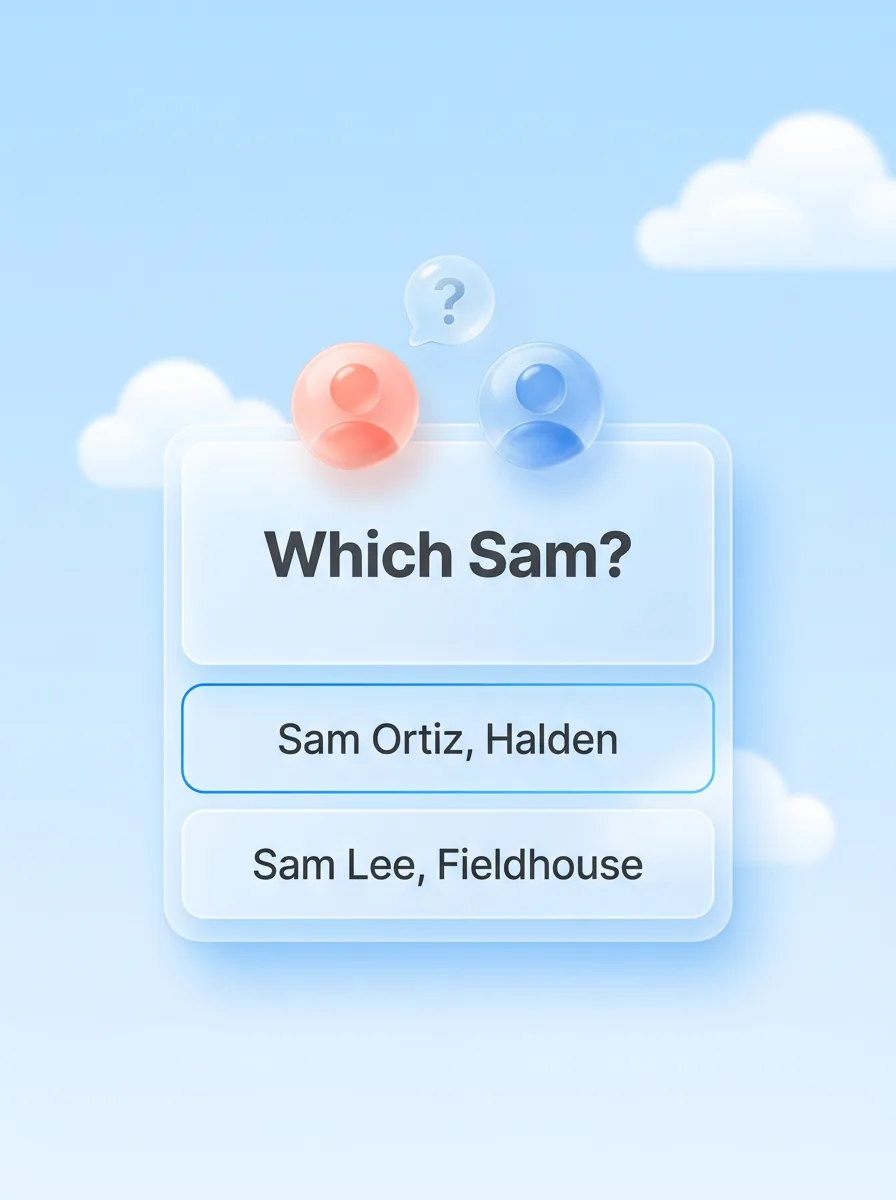
'Sam' could mean 2 records. Ask the user which one, then pass its id.
Say “Sam at Halden” up front and there’s nothing to ask.
Your AI asks only if your AI app passes Zyflow’s question on to you.
Free plan. No card.
Start freeOne customer, however the details are typed
Zyflow stores each detail in one standard form, so next time it finds the same customer. Phone numbers from any country are saved in international format: +1 202 555 0143 and 202 555 0143 typed in a US workspace are one number. Emails are lowercased. When names are compared, Zyflow ignores accents, titles such as Mr, Ms and Dr, and endings such as Inc, LLC, Ltd, GmbH and PLC.
- That makes “Halden Ltd.” and “halden” one company, and “José” and “Jose” one name.
- When your AI names a person’s company, Zyflow uses their work email to find the right one: maya@northwind.example points to Northwind. Gmail and other public addresses don’t count.
A number without a country code is read as being in your workspace's country.
Possible duplicates are flagged, never merged on their own
When a new name looks like someone you already have, Zyflow saves it and flags the match as a possible duplicate, not merged. Your AI is told to mention it. Say “merge them” and the calls, facts, follow-ups and deals move to the record you keep, details combine, and the duplicate goes to the trash. One undo puts it all back.1
- Up to 10 records merge into one at a time. Emails, phones and tags combine, empty fields fill in, and money owed adds up.
- In AI apps that show MCP prompts, the “Find duplicate customers” prompt has your AI show pairs side by side and merge only the ones you confirm. In any other AI app, ask:
Merges don't move linked files or documents, and deals can't be merged.
Prompt to try
-
“Find possible duplicates in my contacts and show them side by side.”
See what your AI is about to change
Your AI can preview a save before making it. Zyflow replies with what would happen, such as “would update Sam Ortiz, matched by phone; fields: title, tags”, and writes nothing. Bulk changes, like tagging every client in one city, preview by default: you see how many records match and the first 10 names. A bulk change stops at 200 records, and one undo reverses all of it.1
Your AI decides when to preview a single save. Only people, companies, deals and bulk changes can be previewed.
Prompt to try
-
“Tag every client in Lisbon as workshop, but show me who first.”
Fields that fit how you work
Every customer record has a lifecycle stage, tags, an owner and your own custom fields, and your AI fills them in as you talk.
- Lifecycle stages Lead, Prospect, Customer, Past customer, Partner, Vendor, Other.
- Tags Up to 30 per record, and an owner for each customer when there’s a team.
- Custom fields In 9 types, from dates and numbers to choices, emails and phones. Owners and admins set them up; how many depends on your plan.
Your AI reads your fields, so “Maya’s contract renews on March 1” lands in the Renewal date field you set up. A value it can’t use comes back as a warning, and the rest still saves.
The lifecycle list is fixed. Custom field values and owners can't be edited in the web forms; your AI or the API fills them in, and an import can fill custom fields.
Your customer list in the web app
Zyflow has a full web app for when you’d rather click. If you’ve used contact management software, it’ll look familiar, except that your AI keeps it filled in.
- Lifecycle tabs, search, filters such as “Owes money” and “No contact in 30 days”, and 6 sorts, including “longest without contact”. Filters live in the page address, so you can bookmark a view.
- Bulk tag and lifecycle changes with an Undo, and CSV export.
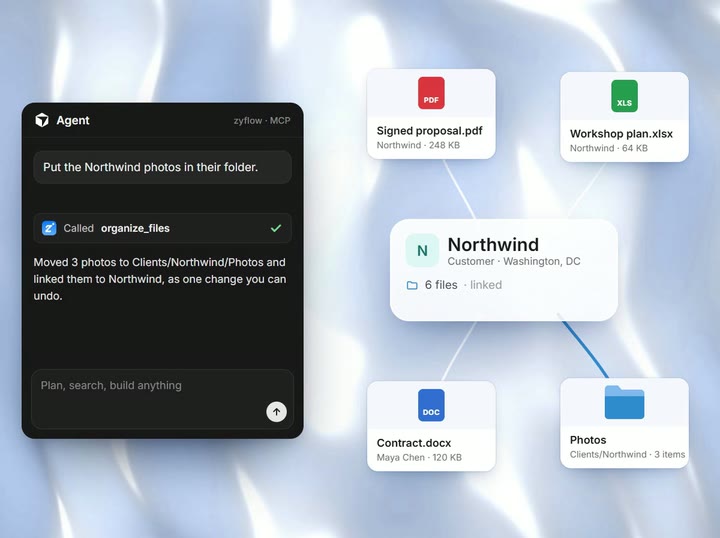
- Customer pages show what you or your AI remember about each customer, the timeline, deals, follow-ups, documents and the files linked to each customer, with who added each item.
- It works in your phone’s browser and can be added to your home screen. On small screens the table scrolls sideways.
You can export your records, documents and history on every plan.2
Read the export docsBring your client database from a spreadsheet or another CRM
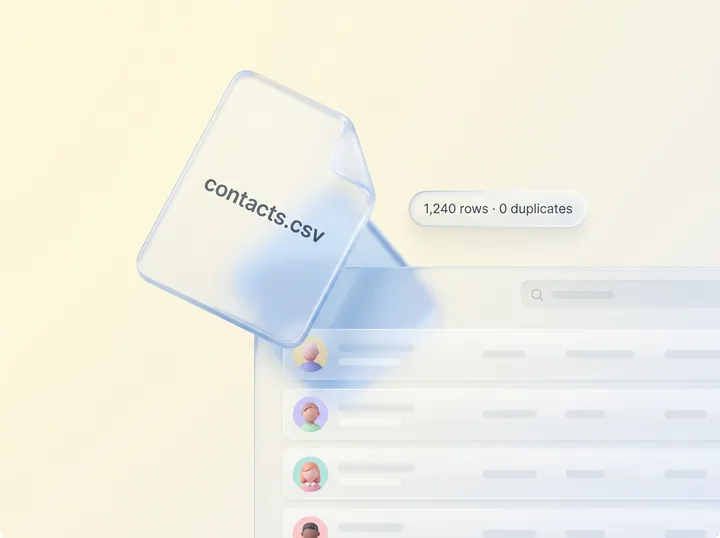
Export a CSV from Excel, Google Sheets, Google Contacts or another CRM and upload it. Zyflow previews the headers, the row count and 5 sample rows, and pre-fills the column mapping for common English headers. Every row goes through the same save your AI uses, so customers you already have are updated, and rows that could match more than one record are skipped and listed. The whole import is one undo.1
- Up to 50,000 rows of contacts or companies per file, with up to 2 emails and 2 phones per row.
- Tag everyone in the file and set a lifecycle stage for new rows, in one step.
- A Notes column becomes a note, and you get an email when the import is done.
A spreadsheet is fine for a short list you keep yourself. But a tool only sticks if it’s faster than the spreadsheet, and when your AI writes to a sheet, nothing checks for the row you already have or asks which Sam you meant. One sentence to your AI is faster than finding the row and typing it in.
Import your contactsA free customer database for one person
Free for one person. Solo covers up to 3 people for $12 a month ($10 billed yearly), Team up to 10 for $30 ($25 billed yearly) and Pro up to 30 for $90 ($75 billed yearly). One price for the whole team, and your AI’s calls are never billed. Prices in US$.
If you work alone, see how Zyflow fits a one-person business: CRM for solopreneurs.
See pricingWhat it doesn’t do yet
Matching has limits, and Zyflow doesn’t sync your inbox or your phone. Check these before you move your list in:
- Name matching understands English connecting words, such as “Sam at Halden”. It compares spelling, not sound, so “Jon” and “John” may come back only as similar. It hasn’t been tested on non-Latin scripts.
- Saves match exact names. If your AI saves “Sam” without looking Sam up first, Zyflow adds a new person and flags the Sams you have as possible duplicates, not merged.
- A shared email or phone is trusted when the names have a word in common, so two Sams on one office line can be mixed up.
- The “which one?” question reaches you only if your AI app passes it on.
- Zyflow doesn’t check whether what you or your AI say is true.
- There are no saved views. Bookmark a filtered list instead.
- There’s no merge button in the web app, and Zyflow doesn’t scan the whole list for duplicates by itself.
- Zyflow doesn’t read your inbox, calendar, calls or WhatsApp. Tell your AI, or paste the thread. It doesn’t sync your phone’s contacts either; import them as a CSV.
- Every member, and every member’s AI, can see and edit every customer. There are no per-person permissions yet.
Not a fit if...
Zyflow isn’t a fit yet if you need:
- email or calendar sync, sequences, campaigns, dialers or forecasting
- dispatch, booking or texting for trades and field service
- a home for regulated data, such as patient records
- property listings and showings for real-estate work
- a WhatsApp inbox
- card payment collection or e-signature
- SSO, two-factor sign-in or per-person permissions
- certifications such as SOC 2, or EU data residency
- a native mobile app, or a language other than English
- more than 30 people
It’s also not for you if you don’t use an AI app and don’t plan to.
Customer database questions
Is a CRM the same as a customer database?
Not quite. Customer database software keeps the list: who your customers are and how to reach them. Contact management software adds notes and history, and a CRM adds what comes next: follow-ups, deals and money owed. Zyflow is a lightweight CRM, so your customer list comes with its history and the next step.
Can ChatGPT or Claude update my customer database?
Yes. Paste your Zyflow link into Claude, sign in and approve, and Claude can look up, add and update customers on any Claude plan. ChatGPT can write on Business, Enterprise or Edu plans in developer mode.3 Cursor, Claude Code and other MCP apps use the same link.
Can I undo a change my AI made?
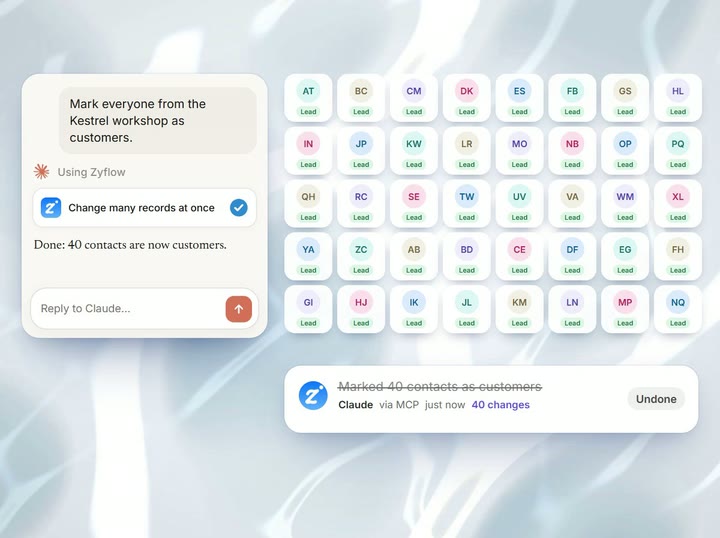
Yes. Each thing your AI does is one change, labeled with the app that made it, and one click undoes it, even a bulk edit of 40 contacts or a merge.1 History shows every change by person, app or API key.
Can I import my contacts from Excel, Google Sheets or my phone?
Yes, as a CSV file. Save your sheet or your Google Contacts export as a CSV and upload it. Zyflow doesn’t sync your phone’s contacts, so export them as a CSV first. Customers you already have are updated, rows that could match two people are skipped and listed, and the whole file is one undo.1 Excel (.xlsx) and vCard (.vcf) files aren’t read directly.
Is there a free plan, and how many contacts does it hold?
Yes. Zyflow Free is for one person, with no card and no time limit, and holds 5,000 contacts, companies and deals. If you need free contact management software for 2 or 3 people, HubSpot Free covers 2 users and 1,000 contacts, Zoho CRM Free 3 users and 5,000 records, and Attio Free 3 seats and 50,000 records (checked Oct 2, 2026).
Who can see my customers, and does my data go to AI companies?
Everyone in your workspace, and each person’s AI, can see and edit every customer. There are no per-person permissions yet. An AI app reaches only the one workspace you approved, and never billing, members or API keys. Zyflow runs no AI model. What your AI app does with what it reads is covered by your AI provider’s terms.
- 1 Undo works within your plan’s history window: 30 days on Free, up to 3 years on paid plans. Deleted items can be restored for 30 days on every plan. Settings changes, such as pipelines, custom fields and tag renames, are logged but can’t be undone.
- 2 Export gives you six CSV files, or one JSON file with your records, documents, change history (up to 100,000 changes) and links to every file. File contents download separately from Files.
- 3 Writing to Zyflow from ChatGPT needs developer mode on a ChatGPT Business, Enterprise or Edu plan. It’s in beta, on the web, and an admin switches it on. Claude works on every plan. Checked October 2026.
Sources: US Chamber of Commerce small-business AI report (October 2026) · hubspot.com/pricing/sales · zoho.com/crm/zohocrm-pricing.html · attio.com/pricing (checked Oct 2, 2026). Records are contacts, companies and deals; importing contacts with a company column also creates those companies. Last updated Oct 3, 2026
Your AI talks. Zyflow remembers.
Tell your AI what happened. Zyflow keeps the record.
If your AI gets something wrong, undo it.1 If Zyflow isn’t for you, export your records, documents and history.2
Free plan. No card. Connect your AI in about two minutes.